
It's Saturday night. A prospective client submits a form at 9:47 p.m., gets an automatic reply, and hears nothing else until Monday. By then, they've spoken to two other firms. The scheduler worked exactly as configured. The intake process didn't.
That's the practical challenge behind appointment setting online for law firms. Booking software can show open times and send reminders, but it can't decide whether a matter fits your practice, catch an urgent concern, or follow up when a prospect stops halfway through the process. Those jobs require clear rules and someone responsible for carrying them out.
Table of Contents
- Why Most Online Booking Setups Underperform for Law Firms
- The Core Infrastructure Behind a Working Booking System
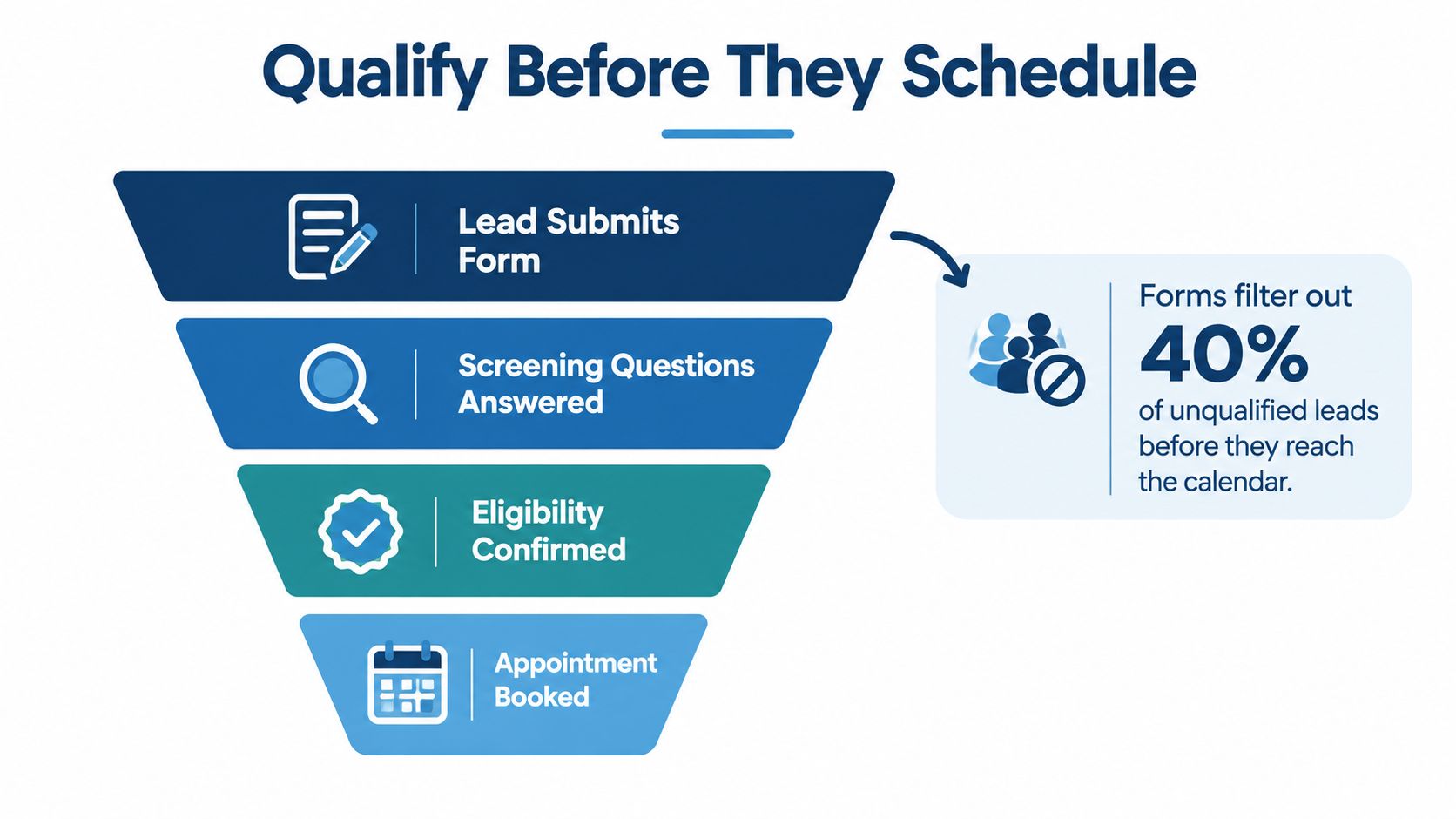
- Designing Intake Forms That Qualify Before They Schedule
- Self-Serve Booking Versus Live Warm Transfer by Lead Type
- Speed, Confirmation, and Follow-Up as Measurable Workflows
- After-Hours Access, Consent, and the Ethics of Being Reachable
- Putting It All Together Without Adding More Work to Attorneys
Why Most Online Booking Setups Underperform for Law Firms
A firm can add a booking widget and still lose the inquiry. A calendar full of appointments can look healthy while attorneys spend time with unqualified prospects, unconfirmed bookings, or people who needed a referral rather than a consultation. Booking volume is not the same as qualified opportunity, and a booked appointment is not a retained matter.
The problem is rarely just the scheduler. It's the gap between the form submission and the next useful action: who sees the inquiry, how quickly they respond, what they ask, and whether anyone follows up when the lead doesn't book. A prospective client who needs help after hours shouldn't have to hope that the right employee happens to check the inbox.
For context on how legal support roles can fit into a firm's day-to-day operations, this virtual legal assistant guide for 2026 offers a broader view of the work firms can delegate. But adding a tool or a role only helps when it connects to an accountable workflow.
A scheduler fills time slots. A working intake system moves the right prospect to the right next step.
The better question isn't “Which calendar tool should we install?” It's “Who owns each inquiry, and what happens from submission through consultation and follow-up?” Once that's answered, the firm can choose software to support the process rather than asking software to invent one.
The Core Infrastructure Behind a Working Booking System
A reliable booking setup needs four connected components. Each should have a clear job, and information should move between them without someone manually copying details from one screen to another.
| Component | What It Owns | Common Failure Mode |
|---|---|---|
| Calendar | Actual availability, appointment type, meeting location or format, and time zone | Double-booking, stale availability, or an appointment displayed in the wrong time zone |
| Intake form or booking widget | Contact details, screening answers, preferred consultation format, and booking choices | A calendar slot appears before the firm has enough information to assess fit |
| CRM or case-management record | Inquiry history, assigned owner, contact attempts, qualification status, and next task | The lead stays in an inbox or spreadsheet and no one can tell who owns follow-up |
| Confirmation and reminder channel | Appointment confirmation, instructions, responses, cancellations, and reminders | The prospect gets a calendar invite but no useful instructions or follow-up |
Start by choosing a calendar source of truth. Decide which system owns availability, and make sure booked slots, cancellations, and reschedules update it. If a booking widget draws from one calendar while staff manage appointments in another, the firm has built a double-booking machine with a pleasant interface.
Next, connect the form or widget to the lead record. A submission should create or update a record, capture the time it arrived, assign an owner, and trigger the next step. Don't rely on an employee to notice an email and remember to log it later.
Put screening gates before available times
Not every inquiry should see an open calendar immediately. Use a screening gate for information needed before a consultation can be offered, including practice area and jurisdiction, and build a clear process for conflict-screening prerequisites. Don't treat an online form as a completed conflict check.
Set appointment types deliberately. A video consultation and an in-office meeting need different instructions; appointments also need a consistent time-zone display and a method for handling rescheduling. Test the full path, including cancellations, so the slot returns to availability and the lead record reflects what happened.
Finally, decide where confirmation goes. Email, SMS, or both may fit, depending on the firm's process and the prospect's preferences. Whatever the channel, confirmation should give the prospect a clear next step and make it obvious how to ask a question or change the appointment.
Designing Intake Forms That Qualify Before They Schedule
An intake form isn't a contact-field dump. It's a screening tool that helps the firm decide whether to offer a calendar slot, route the prospect to a live person, request limited follow-up, or decline the matter. Ask only what changes one of those decisions.
Begin with matter type and jurisdiction. A firm needs to know whether the inquiry falls within its practice and whether the relevant location is one it serves. If the matter is outside the firm's scope, the form should route it for a clear referral or decline response rather than letting the person book an unsuitable consultation.
Ask about urgency in plain language. A question about upcoming deadlines or immediate safety concerns can trigger a human review. Don't ask a prospect to calculate a legal deadline or decide whether a claim is viable. A form should identify the need for prompt attention, not invite people to make legal judgments.
Use each field to support a decision
- Matter type: Gives intake staff a starting point for routing and fit.
- Location or jurisdiction: Helps flag inquiries that may fall outside the firm's service area.
- Timing and urgency: Identifies situations that may need immediate human attention rather than routine self-scheduling.
- Conflict-screening prerequisites: Collects the names or details the firm needs to begin its conflicts process, using a secure, approved workflow.
- Decision-maker status: Clarifies whether the person completing the form is the prospective client, a family member, or someone else involved.
- Consultation preference: Lets the team prepare for an in-office, phone, or video meeting without guessing.
Keep the form short enough to finish on a phone. Skip questions that don't change routing, qualification, or preparation. Don't invite a long account of sensitive facts before representation exists, and don't ask a prospect to supply legal conclusions that may be incomplete or mistaken.
The legal intake form examples for improving conversions can help teams think through what to ask and how to organize the experience. Whatever format you use, make the next step clear: submit, speak with intake, or choose an appointment when the matter is ready.
Intake is qualification, not data collection. Every question should earn its place by helping someone decide what happens next.
Self-Serve Booking Versus Live Warm Transfer by Lead Type
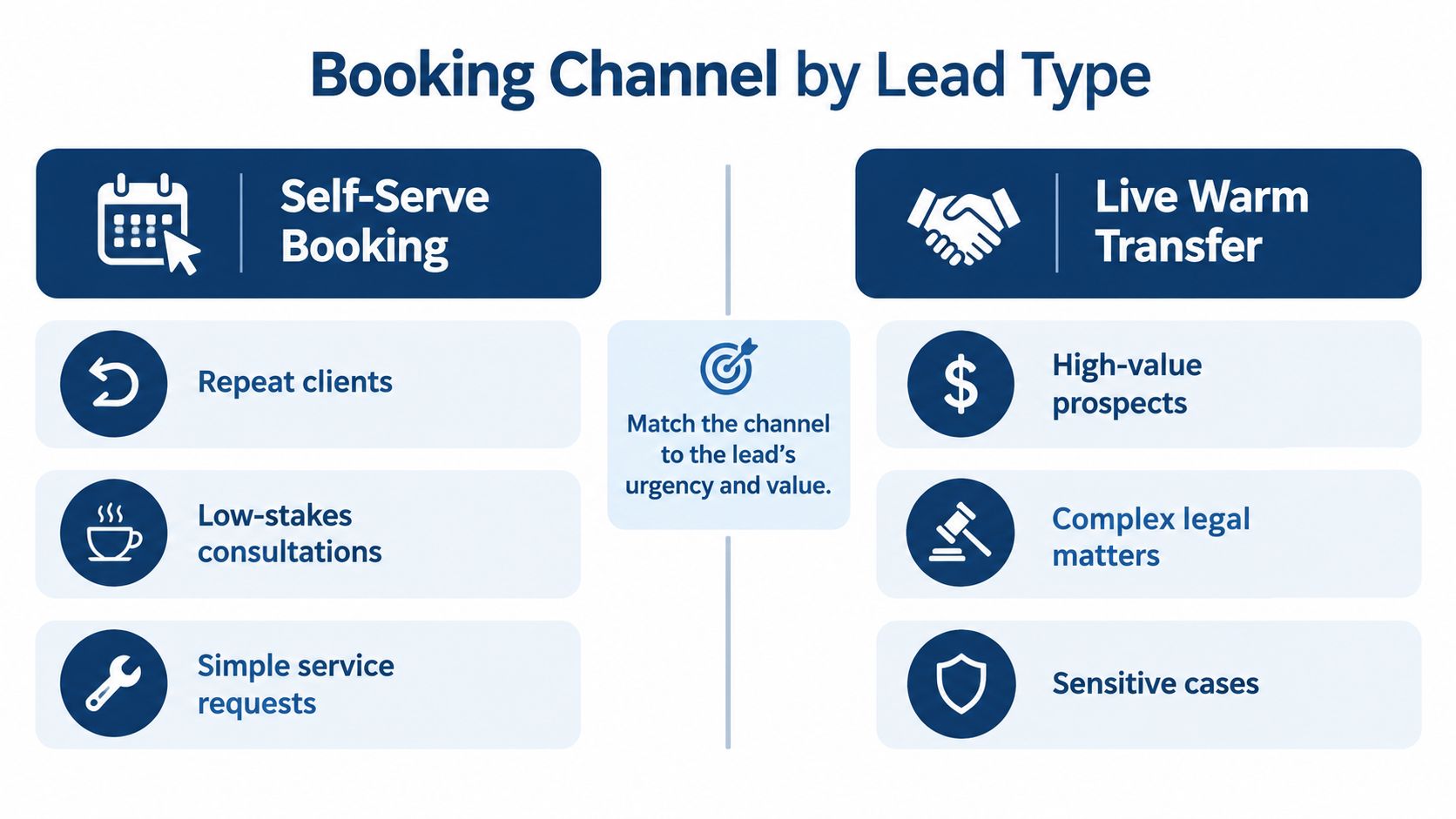
Self-serve booking works when the lead can identify what they need, the firm can establish basic fit, and a short delay won't create avoidable risk. A live warm transfer is better when the prospect needs a conversation before anyone can safely choose the next step. The channel should match the matter, not the firm's preference for automation.
A repeat visitor with a straightforward inquiry may be comfortable choosing a time from available options. A prospect with an urgent issue, a possible conflict, or a complicated fact pattern needs a person who can ask focused questions and route the call appropriately. If a caller is distressed or confused, sending a calendar link may be technically efficient and practically useless.
Match the channel to the decision
| Lead situation | Better starting point | Risk of the wrong choice |
|---|---|---|
| Clear practice-area fit, no apparent urgency, prospect ready to talk | Self-serve booking, with confirmation and reminders | A phone-only process adds friction and delays a straightforward booking |
| Urgent facts or possible deadline concerns | Live intake and escalation under firm-approved rules | A self-serve slot may delay a needed human review |
| Complex, high-value, or potentially conflicted matter | Live qualification before booking or transfer | A generic appointment can consume attorney time before basic fit is understood |
| Incomplete information or uncertain fit | Structured follow-up from intake | Immediate booking can create a low-value or poorly prepared consultation |
| Out-of-scope matter | Clear decline or referral direction | A booking flow can imply the firm may handle a matter it doesn't accept |
These are routing examples, not legal determinations. The firm should define what intake staff may ask, when they must escalate, and what information an attorney needs before accepting a consultation.
A rear-end collision inquiry with a clear description and no obvious complication might fit self-serve booking if it meets the firm's screening criteria. A caller describing a workplace injury with multiple potentially responsible parties and treatment already underway calls for live intake: someone needs to gather the right preliminary information and decide whether to book, escalate, or request follow-up.
A warm transfer also needs a real handoff. Tell the receiving person why the caller is being connected, and confirm that the attorney or intake specialist is available before transferring. The practical distinction between a warm transfer and a cold transfer is simple: don't make the prospect repeat their story to discover nobody was ready for the call.
Speed, Confirmation, and Follow-Up as Measurable Workflows
A booking workflow needs a clock. Start it when the inquiry arrives, not when someone finally opens the inbox. A Harvard Business Review study covering more than 15,000 leads and approximately 100,000 call attempts across six companies found that contact within five minutes made a lead substantially more likely to qualify than waiting 30 minutes; one summary reports a 21-fold difference in qualification likelihood (study summary). That's not a promise about law-firm retainers, but it's a strong reason to define response ownership and measure response time.
A separate InsideSales analysis of 5.7 million inbound leads, 55 million sales activities, and more than 400 companies reported conversion rates over eight times higher when the first call came within five minutes than after six minutes. It also found that only 0.1% of inbound leads were engaged within five minutes (InsideSales analysis). Treat the findings as operational evidence from lead-response contexts, not as a forecast of legal outcomes. Fast contact doesn't replace qualification, and a conversation isn't a signed retainer.
Build a sequence the team can actually run
- Capture and timestamp each web form, chat, and inbound call in a centralized intake record.
- Assign an owner and route immediately to a trained representative, with an escalation path when the right person isn't available.
- Attempt contact within five minutes where coverage permits, then record the attempt and outcome.
- Qualify against fixed criteria, including matter type, jurisdiction, urgency, conflict-screening prerequisites, and consultation availability.
- Offer two or three available times when booking is appropriate. Confirm the selected appointment by email or SMS.
- Create recovery tasks for unanswered inquiries, incomplete forms, and prospects who don't book.
Confirmation is a reliability process, not an invitation that disappears into a crowded inbox. Send the appointment details immediately, including time zone, meeting or office instructions, and rescheduling options. Add a reminder roughly 24 hours before, followed by a shorter same-day reminder. Make it easy to confirm, cancel, or reschedule, release cancelled slots promptly, and assign someone to recover unconfirmed appointments and no-shows.
Firms can use practical advice on reducing demo no-shows as a reminder that attendance depends on confirmation and follow-up, not just the initial booking. Healthcare reminder findings summarized by the University of Kentucky include one trial with an almost three-percentage-point greater no-show reduction from text reminders than from phone or postal reminders, and a pilot reporting 64.9% attendance with SMS reminders versus 49.3% without reminders (University of Kentucky review). Those results come from healthcare settings, so use them as directional context, not legal-intake benchmarks.
Track each stage separately: median first-response time, percentage contacted within five minutes, contact rate, qualified-lead rate, booking rate, show rate, and signed-retainer rate by source. Contact is not conversion. A dashboard that blends the two can make a busy intake team look effective while the firm's actual outcomes remain unclear.
After-Hours Access, Consent, and the Ethics of Being Reachable
A booking page that works at night is useful. A page that gives the impression a lawyer has reviewed the matter when nobody has is not. Fast access and responsible access aren't the same thing, especially when someone may submit sensitive information before the firm has agreed to represent them.
Legal-consumer research reports that 79% expect a response within 24 hours, and that slow response is a major deterrent to hiring a lawyer (legal-intake statistics summary). That expectation makes after-hours coverage an operational concern, but it doesn't mean every overnight form should collect a detailed story or automatically reserve attorney time. A calendar can't spot every urgent issue, language barrier, or misunderstanding.
Design access with clear limits
- Set expectations plainly. Explain that submitting a form or selecting a time doesn't create an attorney-client relationship, and state when the firm will review the inquiry.
- Collect only what the first decision needs. Don't solicit a detailed narrative or unnecessary sensitive records through an unreviewed booking flow.
- Make texting consent-based. Record permission and opt-out status, and provide a clear alternative for people who prefer not to receive texts.
- Define escalation rules. Urgent, vulnerable, or unclear inquiries should route to a trained person under the firm's procedures, rather than receiving a generic appointment confirmation.
- Design for access. Make forms usable on mobile, offer Spanish-language intake where the firm can support it, and provide a route for disability-related accommodation.
Track more than completed bookings. Review where people abandon the form, and compare completion patterns by device, language, and time of day. That can reveal whether an apparently convenient process works only for people who use a certain device, speak a certain language, or submit during staffed hours.
After-hours phone coverage can be part of that design, but the important distinction is between taking a message and moving an inquiry toward a safe, useful next step. The practical considerations in this guide to after-hours answering services for law firms are relevant when deciding how live coverage and online booking should work together.
Putting It All Together Without Adding More Work to Attorneys
A working system needs an accurate calendar, a form that screens for fit, a live route for matters that need judgment, dependable confirmation, and a dashboard that shows where inquiries stop. Someone must own each handoff. Otherwise, the firm has automated the calendar and left the difficult part in an inbox.
Use this checklist when reviewing your current process:
- Calendar: Is availability current, and do cancellations update it?
- Qualification: Does the form distinguish ready-to-book prospects from inquiries that need human review?
- Coverage: Can someone handle high-value, urgent, and after-hours inquiries?
- Follow-up: Does every unanswered or unbooked lead receive an assigned next action?
- Measurement: Can the firm distinguish contact, qualification, booking, attendance, and signed retainers?
The constraint is often staffing, not software. Attorney Assistant provides Staffline, dedicated full-time legal support professionals who work with one firm inside its systems, and Frontline, a 24/7 live intake team built to answer, qualify, follow up, and book appropriate matters. The model pairs people with AI-enabled systems and firm-specific processes, rather than treating intake as a message-taking function or support as generic labor.
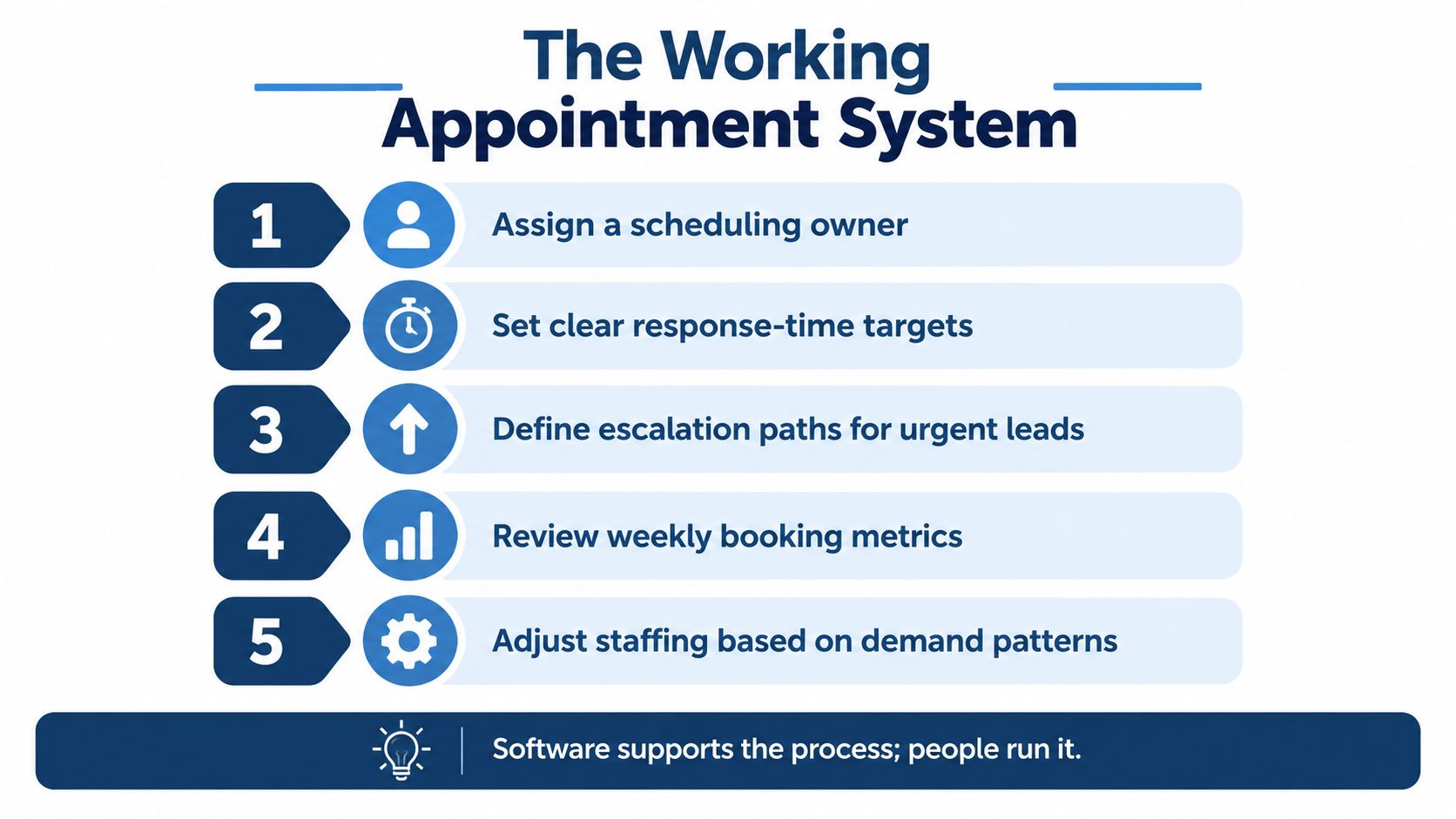
Software supports the process. People own the next step.
Review where leads stall, where follow-up stops, and whether after-hours coverage depends on someone checking messages between other tasks. If staffing is the bottleneck, fix that before adding another calendar tool.
Attorney Assistant provides dedicated legal support through Staffline and 24/7 live intake through Frontline, helping firms connect appointment setting with qualification and follow-up. Visit Attorney Assistant to assess where your intake workflow is losing opportunities and whether additional operational capacity would help.
Related Articles

Client Service Questionnaire Templates for Law Firms
Build a client service questionnaire for your firm: sample questions by stage, send timing, response metrics, and how to route results into intake.

Virtual Front Desk for Law Firms: What It Really Does
Learn what a virtual front desk does for law firms, how it compares to in-house reception, and how to roll one out without risking client confidentiality.
Case Management App for Law Firms in 2026: How to Choose
Compare case management app options for law firms on intake, documents, calendaring, security and pricing, with a checklist to pick the right fit.