A case processing summary in a law firm is a single-page status snapshot tracking intake, current status, next steps, records, and liens so every team member knows where a case stands at a glance. It turns a file from “someone was handling that” into an assigned sequence of actions with an owner and a deadline.
That distinction matters at 11 p.m., when a potential client submits an intake form and the office is closed. It matters the next morning, when an attorney asks whether the records arrived, whether the consultation was scheduled, and whether anyone followed up. Without a reliable summary, the answer usually requires a small archaeological expedition through email, a CRM, a shared drive, and somebody's memory.
The phrase itself causes confusion. In SPSS-style reporting, a case processing summary is a statistical table showing Valid, Missing, and Total cases, including counts and percentages. One IBM example processed 4,240 total cases, included 4,171, and excluded 69 because of missing values, retaining 98.4% of the original sample and removing 1.6%, as shown in UCLA's SPSS descriptive statistics example. Courts use the phrase differently, to measure caseloads, timeliness, backlogs, and compliance. For a law firm, it has a more practical meaning: a working control panel for an individual matter.
Table of Contents
- Why Case Processing Summaries Keep Files From Stalling
- The Five Core Sections of a Case Processing Summary
- Building a Summary That Stays Current
- How Summaries Improve Throughput and Enable Delegation
- Integrating Summaries Into Staffline and Frontline Workflows
- Manual Tracking Versus Supported Operations
- What a Complete Case Processing Flow Looks Like
Why Case Processing Summaries Keep Files From Stalling
A potential client calls, completes an intake form, or replies to an advertisement. Someone takes the information. Then the file goes quiet. The attorney assumes intake handled the next step, intake assumes the attorney reviewed the matter, and the client assumes the silence means the firm isn't interested. Everyone is technically busy. Nobody is clearly responsible.
A case processing summary prevents that gap by putting the matter's operational truth in one place. It should tell the next person how the case arrived, what has happened, what remains outstanding, and who owns the next action. That sounds basic because it is basic. Many firms still don't do it consistently.
Practical rule: If a team member can't understand the current status of a file without asking another team member, the file isn't operationally documented.
Law-firm leaders also need to separate this use from the statistical and court-administration meanings. The U.S. Bureau of Justice Statistics case-processing program tracks criminal cases in state courts and federal-case statistics from 1998 to 2023. Court administrators use these summaries to turn raw caseloads into timeliness measures. Montgomery County, Maryland, for example, reported 4,940 civil-other cases eligible for assessment in FY25, with 97% closed within the 548-day time standard. Its FY25 criminal analysis used a 180-day standard, a 98% performance goal, and reported 74% within standard.
A firm summary doesn't replace a court report or an analytics table. It answers a different question: What must happen next on this matter, and can another person act without reconstructing its history?
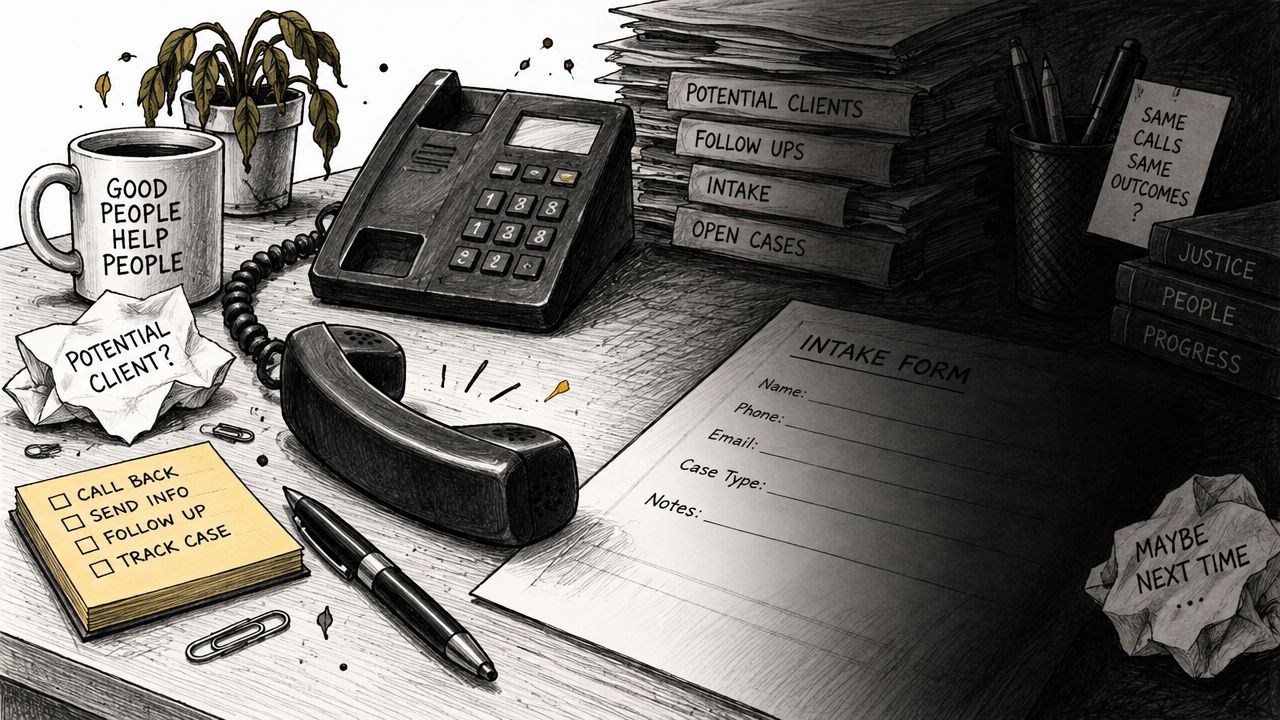
The summary becomes especially valuable when cases move between intake, records staff, case managers, and attorneys. It creates continuity across handoffs and exposes stalled work before the delay becomes a client complaint, a missed deadline, or an uncomfortable meeting about why nobody knows where the file went.
The Five Core Sections of a Case Processing Summary
A useful summary isn't a novel. It's a compact working record with enough detail to support the next decision. The structure below covers the information necessary without encouraging staff to copy every email into a box labeled “notes.”
Intake details
Record the lead source, date and time received, contact information, matter type, jurisdiction, opposing parties when known, and initial qualification notes. Include the disposition of the inquiry, such as consultation scheduled, more information required, declined, or retained.
The source matters because it helps the firm understand which channels create work. The qualification notes matter because an attorney shouldn't have to repeat questions that intake already answered.
Current status
Use a defined stage, not a vague phrase like “in progress.” A personal injury matter might move through new lead, qualified, consultation scheduled, retained, records pending, demand preparation, negotiation, litigation, settlement, or closed.
Also record whether the file is active, on hold, awaiting the client, awaiting a provider, or closed. Status should describe the present condition, not the employee who last touched the file.
Next steps
This is the section that keeps the summary from becoming decorative. Each action needs an owner, due date, and specific outcome.
“Follow up on records” is weak. “Request itemized billing statement from Provider X, assigned to Jordan, due Thursday” is actionable. Use the same standard for callbacks, consultations, lien requests, demand review, and client document collection.
Documents and file inventory
List what has been requested, received, reviewed, and still missing. Depending on the practice, that may include medical records, police reports, photographs, bills, employment records, pleadings, discovery responses, settlement documents, and lien notices.
Add the request date, source, receipt date, and storage location. A folder full of documents isn't a records process if nobody can tell whether the file is complete.
Liens, holds, and closing information
Track medical liens, insurance holds, subrogation claims, authorization problems, and any other block to progression. Record the contact, request date, response, negotiation status, and next action.
A closing area is also useful. Capture final disposition, outstanding obligations, client communication, billing status, and archival instructions. Teams looking to formalize these handoffs can browse process documentation examples for ideas on documenting repeatable work.
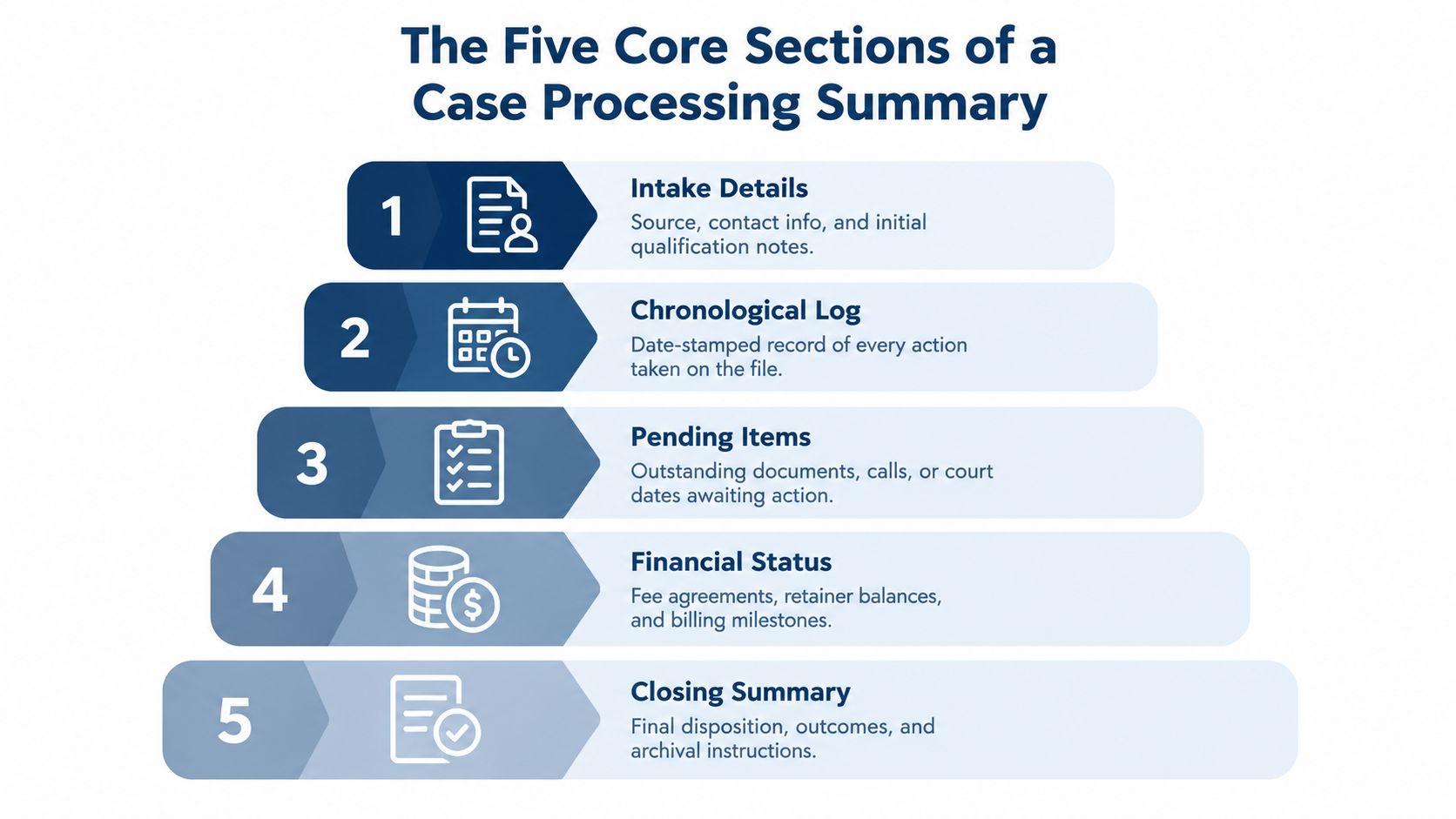
Give every section an owner and an update cadence. A summary with five headings but no accountable person is just a tidier form of wishful thinking.
Building a Summary That Stays Current
A stale summary can be more misleading than no summary. It gives the team confidence without giving them current information, which is how an old “records requested” note survives long after the provider has sent the file.
Create the summary at intake, ideally before the first call ends or within one hour of form submission. The initial version doesn't need every field completed. It does need the source, contact details, matter type, qualification status, assigned owner, and immediate next action.
Tie updates to events
Don't rely only on a weekly reminder. Use triggers tied to work that already happens:
- New record received: Update the document inventory, receipt date, source, and review status.
- Action completed: Refresh the current status and remove or close the completed next step.
- Client contact made: Record the date, outcome, promised follow-up, and owner.
- Lien response received: Add the response and create the next negotiation or escalation task.
- Matter placed on hold: State why, who must act, and what event reactivates the file.
This approach works because the update happens at the point of change. Nobody has to remember a separate administrative ritual after finishing the task.
Put ownership in the system
Permissions should let intake staff, case managers, records personnel, and attorneys update the fields they own. Keep the format consistent, but don't make every change pass through one administrator. That creates a bottleneck with a very respectable title.
A weekly review of open summaries catches drift. Look for missing owners, overdue next steps, records requested without follow-up, and matters marked active with no recent action. A firm can use a CRM, case-management platform, or controlled shared workspace, provided the summary remains visible and searchable. Guidance on building a repeatable records management program can help connect this practice to document retrieval and file maintenance.
Treat the summary like a patient chart. Nobody expects a medical file to update itself. Legal matters deserve the same discipline, even if the office's preferred filing system is currently “ask Maria.”
How Summaries Improve Throughput and Enable Delegation
A consistent summary does more than describe a case. It shows where work is accumulating. If several matters are waiting for records, the firm has a records bottleneck. If consultations are completed but retainers aren't sent, the handoff from attorney to intake needs attention. If liens remain unresolved near settlement, the problem belongs in the workflow, not in a last-minute scramble.
The summary also makes delegation safer. A dedicated case-support professional can open a file, read the current position, and act on the next task without calling three people for background. That turns personal knowledge into institutional knowledge. The firm is no longer dependent on the one employee who remembers every provider, client promise, and unresolved question.

Use handoff points, not vague availability
A handoff works when the receiving person gets four things:
- Current position: What stage is the matter in?
- Completed work: What has already happened?
- Open risk: What could delay or derail progress?
- Next owned action: Who does what by when?
That structure reduces attorney involvement in routine status gathering. Attorneys still make legal judgments and handle work requiring legal skill. They shouldn't spend their afternoon searching for a missing bill or confirming whether a callback occurred.
Many firms reach a growth ceiling because their systems and staffing can't absorb more matters. A disciplined summary is one piece of the capacity needed to accept work without multiplying confusion. The operational question is not only whether the firm can generate more leads. It's whether the firm can process, qualify, support, and advance them reliably.
Frontline can create the initial operational record when a lead arrives. Staffline can maintain the matter through records, liens, calendars, CRM updates, and case administration. That continuity is the practical meaning of Frontline signs the case. Staffline carries it.
The workflow below shows why a summary can function as a production tool rather than a passive report.
A useful review asks not only whether a task was completed, but whether the summary makes the next task obvious. If it doesn't, the document needs a better field, a clearer owner, or less clutter.
Integrating Summaries Into Staffline and Frontline Workflows
Frontline and Staffline solve different parts of the same continuity problem. Frontline provides 24/7 live intake, including nights, weekends, and overflow periods when a traditional office may be unavailable. The team qualifies inquiries, follows up, schedules appointments, and can support appropriate case signing. The preliminary summary should record the source, contact details, matter type, qualification result, and conversion status while the information is still fresh.
Staffline takes ownership after the initial handoff. A dedicated full-time professional can maintain records requests, medical bills, lien information, file organization, calendars, inboxes, CRM data, and other assigned case-support work. Because that professional works with one firm and learns its systems and preferences, the summary doesn't have to be rebuilt every time coverage changes.
Assign work by role
A clean division might look like this:
- Frontline owns: first contact, qualification notes, appointment status, follow-up attempts, and signing status.
- Staffline owns: file opening, records acquisition, bill and lien tracking, document organization, calendar updates, and next-step maintenance.
- Attorneys own: legal evaluation, strategy, advice, approvals, negotiations, and decisions requiring attorney judgment.
When a prospect goes cold, follow-up can resume from the recorded history instead of beginning with “remind me what happened.” Persistent outreach is useful only when each attempt has a recorded outcome and a planned next step. Otherwise, it's just repeated optimism.
The summary should be the central reference before anyone acts. A team member shouldn't start a new records request without checking whether one is already pending, and an attorney shouldn't review a matter without seeing the unresolved items. Firms considering dedicated case-support capacity can review Staffline's legal staffing model and compare it with internal hiring, shared administrative coverage, or a narrower task-based arrangement.
Attorney Assistant's model combines dedicated legal support staff with 24/7 live intake, but the principle applies to any staffing setup. The summary works when the firm defines ownership, trains people on the workflow, and reviews performance rather than merely counting activity.
Manual Tracking Versus Supported Operations
Spreadsheets aren't automatically bad. A well-designed spreadsheet with controlled fields, assigned owners, and disciplined review can outperform an expensive system nobody uses. The usual failure isn't the absence of a feature. It's a workflow that depends on someone remembering to update the feature before the next interruption arrives.
Response speed makes that weakness visible. A benchmark covering 1,333 U.S. law firms found a median online-lead response time of 13 minutes, while 26% of firms never replied within 7 days and 39% took more than 2 hours or never responded, according to Perspective's legal intake benchmark. The figures don't prove that a summary alone fixes response time. They show why an unowned follow-up process is expensive.
The comparison is straightforward:
| Manual model | Supported model |
|---|---|
| An attorney receives the call and intends to follow up. | Intake logs the inquiry and creates an owned next action. |
| A hearing, meeting, or urgent filing interrupts the plan. | A staff member or intake team tracks the callback independently. |
| The file contains scattered notes with no current status. | The summary records the owner, deadline, and outcome. |
| Management discovers the delay after a complaint. | Review identifies overdue work while the matter is still recoverable. |
Independent benchmark reporting found that 25% of firms responded to web leads in under 5 minutes, 56% within 1 hour, and 33% within 10 minutes, as reported by Callshift's law-firm intake benchmark. Those overlapping response bands reinforce a practical point: firms need a timed SLA and structured follow-up, not a vague promise that someone will call back.
Technically, calling four days later is follow-up. It isn't particularly useful follow-up. A summary creates accountability by showing exactly where the process stopped and who must restart it.
What a Complete Case Processing Flow Looks Like
A personal injury lead submits a form at 11 p.m. Frontline answers the inquiry, captures the contact details and incident information, and creates a preliminary summary within minutes. The record identifies the source, qualification status, consultation requirement, and next action, so the overnight inquiry doesn't become an unclaimed task in the morning queue.
By morning, a dedicated Staffline professional reviews the summary, contacts the lead, confirms the information needed for qualification, schedules the consultation, and updates the status. If the matter isn't ready for an attorney appointment, the next step states what information is missing and when follow-up will occur. “Needs more information” is not a status. It is a request for a more useful sentence.
Over the following weeks, the support professional tracks medical-record requests, bills, lien responses, client documents, and calendar milestones. Each completed task changes the summary. Each unresolved issue has an owner. The attorney sees a timeline and a short list of decisions, not a pile of emails that all begin with “just checking in.”
The handoff standard
Before a matter moves to the attorney, the summary should answer:
- Why is the client contacting the firm?
- What has the firm verified or received?
- What remains missing or disputed?
- What decision or action does the attorney need to take?
- Who owns the next operational step afterward?
This is the difference between documenting activity and supporting judgment. The same principle applies across practice areas, although the fields will differ. Immigration teams may track filing status and notices, while litigation teams may emphasize pleadings, discovery, and court dates. The workflow can be adapted without losing the central requirement: every matter needs a current position and a next move.
A case management workflow guide can help firms map those stages into their existing systems. The summary should sit inside that workflow, not in a separate document that staff remember to consult when things have already gone wrong.
Attorney Assistant provides 24/7 live intake through Frontline and dedicated full-time legal support through Staffline, including records, liens, file administration, follow-up, and CRM maintenance. Visit Attorney Assistant to identify where your case processing summaries, intake handoffs, or staff capacity are letting matters stall.
Related Articles

Call Answering Service for Law Firms: What Actually Works
A call answering service for law firms should sign cases, not take messages. Learn pricing models, vendor criteria, and 24/7 intake that converts.

Fear of Talking on Phone: 7 Practical Confidence Tips
Overcome fear of talking on phone with practical scripts, role-play, exposure exercises, and intake tools built for legal teams.
Preferred Method of Contact for Law Firm Intake
Discover how to capture and use the preferred method of contact in legal intake to improve conversions, ensure compliance, and streamline law firm operations.