Client Service Questionnaire Templates for Law Firms

You're looking at a satisfaction score that says everything's fine, while a client is on the phone for the third time asking what happens next. The form got sent, the spreadsheet got filled, and nothing in the firm changed. That's the normal lifecycle of a client service questionnaire in most firms.
A useful one works differently. It doesn't ask whether people liked you in general. It finds where intake dropped a handoff, where updates stopped, and where a client had to chase you. Treat it as a workflow diagnostic, not a scorecard for the marketing deck, and the answers start pointing at fixes you can assign.
Table of Contents
- Client Service Questionnaire Template With Missing Questions
- Decide What the Questionnaire Must Measure
- When and How to Send Your Client Service Questionnaire
- Route Responses Into Your Intake Workflow
- Review Results Without Fooling Yourself
- Put Your First Questionnaire Live This Month
Client Service Questionnaire Template With Missing Questions
Most templates miss the questions that explain why clients get anxious. They ask about overall satisfaction and legal skill, then stop before they reach update timing, repeat storytelling, after-hours access, or preferred channel. This 16-question template starts with matter context, so every later answer can be segmented by practice area and stage. Copy it first, then trim only if a row doesn't inform a decision you own.
| Stage | Question | Response format | What it tells you |
|---|---|---|---|
| Intake | Which practice area and stage describe your matter? | Multiple choice | Segmentation by matter type and stage |
| Intake | How did you first contact the firm? | Multiple choice: phone, web form, text, referral | Channel mix for comparing results |
| Intake | How quickly did someone first respond to your inquiry? | Five-point scale, very slow to very fast | Response speed by channel |
| Intake | Did you understand what would happen next after your first contact? | Yes or no | Clarity of first-contact next steps |
| Intake | Did you have to repeat your story to more than one person? | Yes or no | Intake handoff accuracy |
| Intake | Could you reach us outside business hours when you needed to? | Yes, no or did not need to | After-hours access |
| Intake | Which channel do you prefer for updates: call, text, email, portal or video? | Multiple choice | Preferred channel for routing communication |
| Active matter | Did you receive case updates when we said you would? | Yes, partly or no | Update reliability |
| Active matter | When delays happened, were they explained before you had to ask? | Yes or no | Proactive communication |
| Active matter | Could you understand the next step without legal help? | Five-point scale | Plain-language clarity |
| Active matter | How easily could you reach the team through your preferred channel? | Five-point scale | Channel access |
| Active matter | How many times did you follow up to get an answer? | Count: 0, 1, 2, 3 or more | Repeat follow-up burden |
| Active matter | Did any language, disability, technology or scheduling barrier make service harder? | Yes or no, with optional text box | Access barriers |
| Closing | How clear were the final steps and what to expect afterward? | Five-point scale | Closing clarity |
| Closing | How likely are you to recommend the firm to someone you know? | Zero to ten scale | Advocacy trend, read with other items |
| Closing | What is one thing we could have done differently? | Open text | Themes for coding |
Why the Formats Are Mixed on Purpose
Use five-point scales where you're measuring degree, such as speed, clarity, and ease of contact. A client who rates clarity a three is telling you something different from a client who rates it a one, and that distance matters when you're deciding whether to rewrite a template or rebuild a process.
Use yes or no where a promise either held or it didn't. Updates arrived when promised or they didn't. Delays got explained before the client asked or they didn't. Don't soften those into scales, because a partly explained delay still produced a follow-up call your team had to answer.
Use multiple choice for channel and context, because those answers route work. If clients prefer text and you're leaving voicemails, that's not a communication style issue. It's a routing error. Keep one open-text prompt at the end. More than one or two invites fatigue, and you'll get shorter, blander answers to all of them.
Practical rule: If a row wouldn't change a staffing, timing, or scripting decision, cut the row. Busy clients don't owe you a research project.
Add One Practice-Specific Prompt Per Group
The core 16 stay consistent across the firm so you can compare stages. Then add one prompt that fits the work.
- Personal injury: Did treatment and claim updates arrive on the schedule we set with you? This catches the long quiet stretches between medical milestones, which is where clients start calling weekly.
- Estate planning: Were drafts and signing steps explained in terms you could follow without calling us? Confusion here usually shows up as unsigned documents sitting in a drawer.
- Business matters: Were deadlines and deliverables confirmed in writing before work began? A no here predicts scope disputes later, and it's cheaper to learn that now.
Add only one per group. Every extra question costs you completions, and the clients most likely to quit halfway are often the ones whose answers you needed.
Before launch, paste the table into your survey tool and pilot it with two recent clients and two staff members. Ask your pilot clients to say each question back in their own words. If they paraphrase it differently than you meant it, rewrite it. Staff will catch missing answer options, clients will catch legal jargon, and both will catch the question that asks two things at once.
Decide What the Questionnaire Must Measure
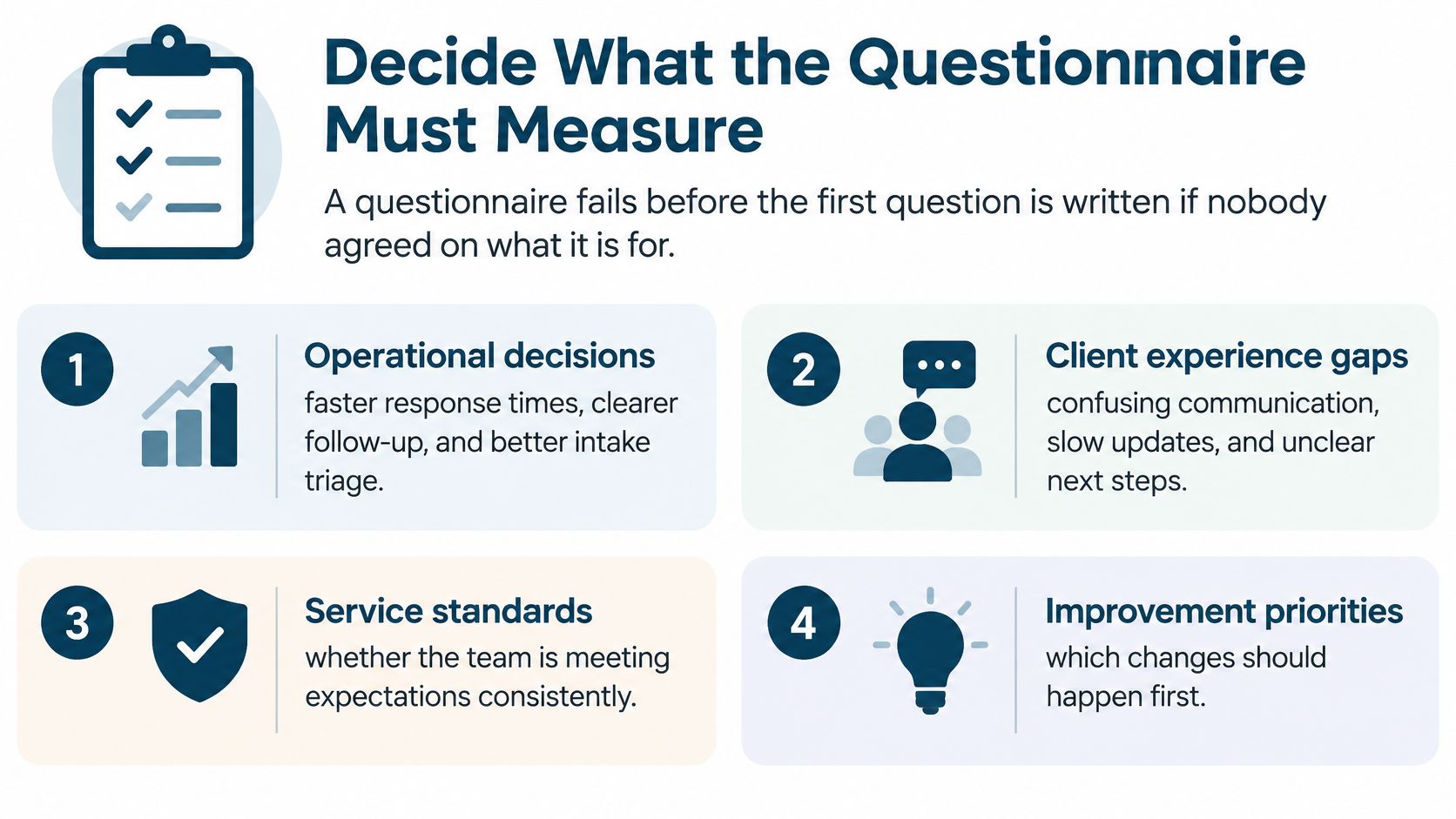
A questionnaire fails before the first question is written if nobody agreed on what it's for. "Measure satisfaction" isn't a purpose. It's a mood. Work through these steps in order and the instrument designs itself.
- Name the operational decisions. List what you'll decide from the results, such as faster callbacks, clearer status updates, better intake handoffs, or fewer billing surprises. If no decision attaches to an answer, don't ask the question.
- Map each decision to an observable attribute. Turn "communication" into "update arrives when promised" and "delay explained before the client asks." Observable attributes can be fixed. Vague ones can only be discussed, usually at length.
- Collect only the context you need to segment. Matter type, stage, and interaction channel are enough to compare intake against active matters. Skip personal details you won't use.
- Build a short, mixed draft. Combine rating items, yes or no, and multiple choice with one or two open-text prompts. Oregon State Bar legal-practice guidance recommends keeping the instrument below 20 questions, and notes end-of-matter surveys commonly achieve only about a 10% response rate.
- Pilot it, then name your comparison. Test the draft with staff and representative clients to catch double-barreled questions and ambiguous wording. Then decide what each result gets measured against, so the first report isn't a number floating in space.
Say a client called three times to learn their case status. That's an update reliability failure with a clear owner. A single satisfaction score from that same client might read seven out of ten, because they liked their lawyer. The average buries the problem, the item-level answer exposes it, and only one of those helps you fix anything.
Clients do this same filtering from the other side when they choose a firm, which is why resources on red flags when hiring injury attorneys focus on responsiveness and communication habits rather than credentials alone. Your questionnaire should test the same behaviors clients screen for. If you want a candid picture of what those failures look like from the client's chair, it's worth reviewing how bad client service shows up day to day before you finalize your attributes.
When and How to Send Your Client Service Questionnaire
Timing decides whether you get a considered answer or a vague memory. Send at three milestones where the experience is fresh and specific.
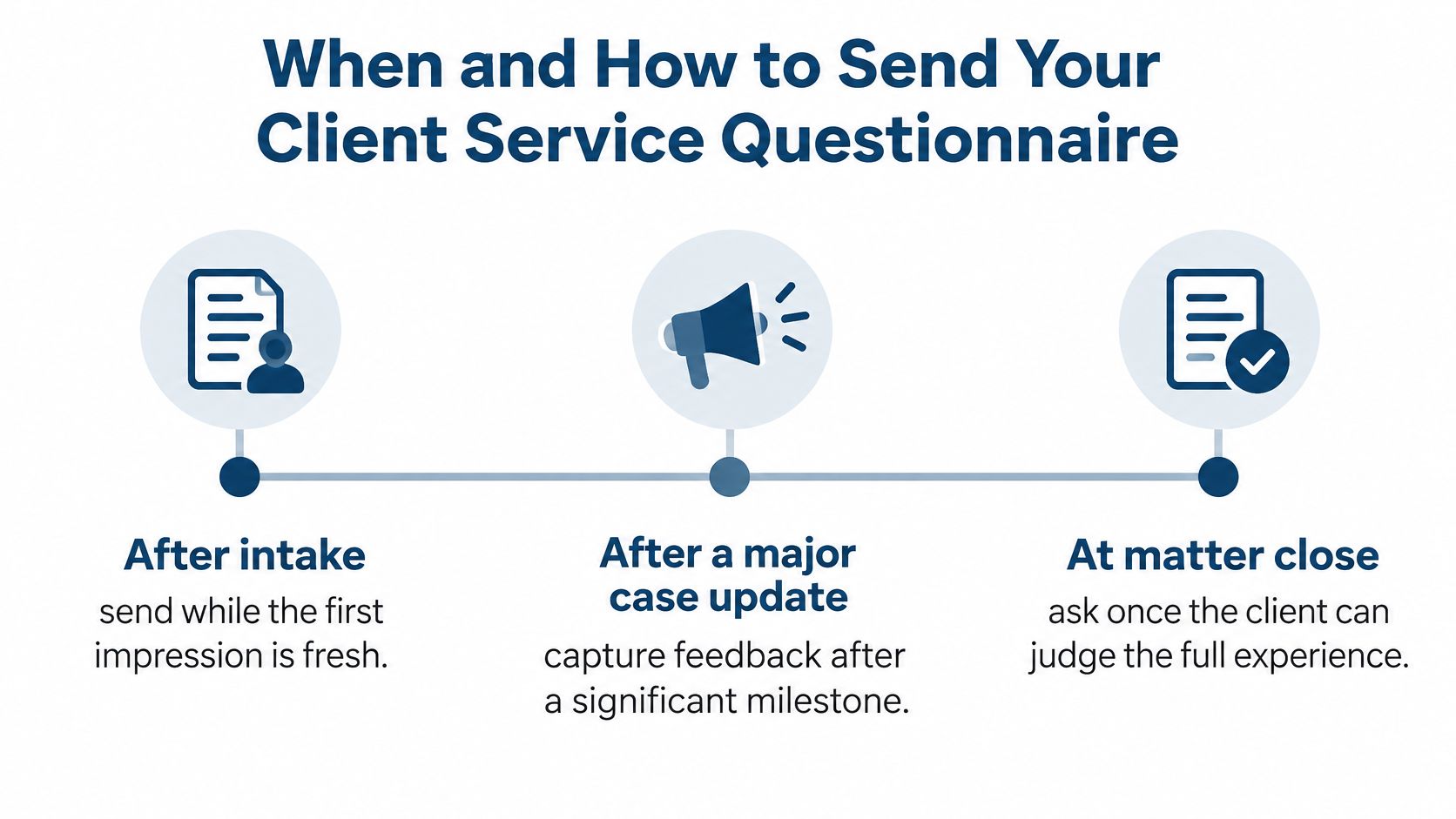
| Milestone | Channel | Send window | Owner |
|---|---|---|---|
| After intake | Short text or email link | Short window after first contact | Intake lead |
| After major case update | Portal message or email | Short window after the update | Case manager |
| Matter close | Longer final survey by email or portal | At matter close, same process every time | Practice manager |
Send each invitation within a short window after the interaction, and state the expected completion time and how confidentiality is handled in the invitation itself. Clients who don't know who reads their answers give you polite ones. Assign one owner per trigger so no milestone depends on someone remembering it between hearings.
Track the Counts Separately
Record invitations, contacts, starts, completions, and refusals as separate counts, not one blended response number. The Pew Research Center 2025 American Trends Panel methodology shows the discipline involved, with 9,482 people responding from a sample of 10,576 for a 90% survey-level response rate, a margin of sampling error of plus or minus 1.4 percentage points, and a 1% break-off rate among panelists who began at least one item. You won't run a national panel from your intake desk, but you can copy the bookkeeping. Track response rate and completion rate separately, and document your field period, sample size, and question wording with every report.
Invite every eligible client during a fixed field period, or use a documented random sample. Don't trim the list to clients you're fairly sure are happy. That's not sampling, that's set design.
Expect thin returns at closing. Illinois State Bar Association guidance on client satisfaction surveys reports that conventional client surveys often produce only 5% to 10% participation. So run the closing survey the same way every time, keep one review date each month, and read results across months rather than treating one small wave as a verdict.
Route Responses Into Your Intake Workflow
A response sitting in a survey tool fixes nothing. Start by measuring yourself against an outside benchmark. In the 2025 Hennessey lead form response time study of 1,333 U.S. law firms, only 25% of firms responded within five minutes to an online form submission, the median response time was 13 minutes, and 39% took more than two hours or did not respond at all. Measure your own first-response time before you blame a low survey score on speed, or credit yourself for fixing it.
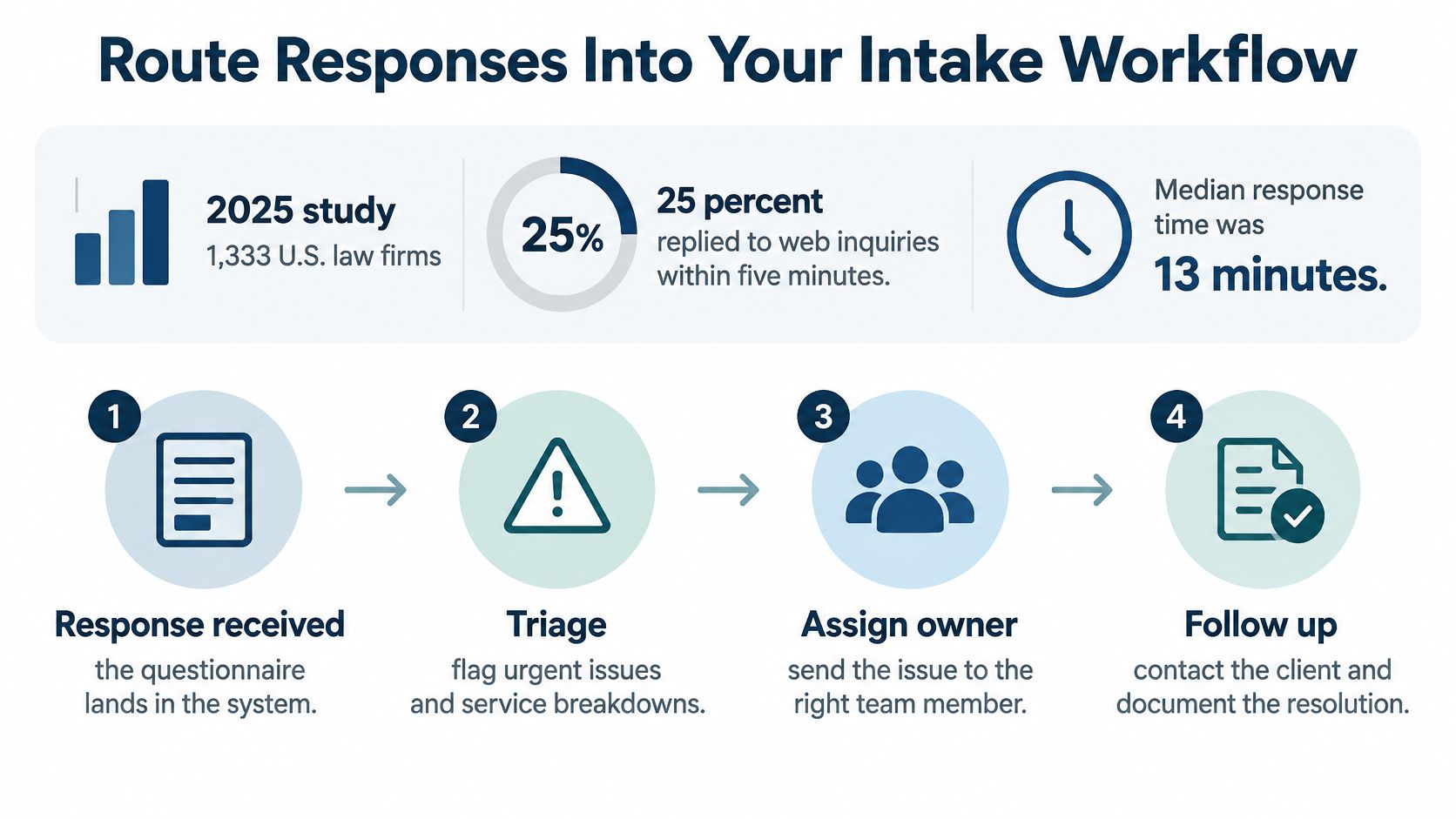
- Trigger from the CRM. The survey fires when a matter hits a milestone, not when someone remembers. If your trigger lives in one person's memory, you've built the world's least reliable CRM.
- Write responses back to matter fields. Tag each response by practice area, stage, and channel so you can compare like with like.
- Keep the record complete. Our admin assistants upload case updates, client documents, and correspondence into the customer's CRM, and survey results belong in that same record, not a side spreadsheet.
- Create a task below threshold. Any answer under your bar generates a task with an owner and a deadline. Slow first contact goes to the intake lead, missed updates to the case manager, access complaints to the managing partner.
- Review monthly. Compare response time, update reliability, and open-text themes across matter types, following the same discipline you'd apply to your broader case management workflow.
Firms that set expectations early get cleaner routing later. A good example is how a clear page on divorce preparation with Miles Hansford Law Firm tells clients what to bring and expect before the first consultation, so intake staff aren't rebuilding the same explanation on every call.
Don't route everything to one shared inbox. A shared inbox is where low scores go to be read by everyone and owned by no one.
Review Results Without Fooling Yourself
Read response rate first, before any satisfaction number. It's completed surveys divided by eligible invitations, and it tells you whose opinions you're really holding.
The Pew Research Center January 2014 national telephone survey methods calculated response rate as the product of contact rate, cooperation rate, and completion rate, producing a final response rate of 7% for landline samples and 9% for cellular samples. That breakdown is the useful part. It separates clients you couldn't reach from clients who declined and clients who quit partway through, and each of those points to a different fix.
| Metric | How to calculate | What it tells you |
|---|---|---|
| Response rate | Completed surveys divided by eligible invitations | Whether results describe most clients or only the most engaged |
| Completion rate | Completed surveys divided by started surveys | Whether length or wording makes clients quit |
| Partial abandonment | Started but unfinished surveys divided by started surveys | The question where clients stop |
| Top-box score | Share of answers at the highest rating | Clients giving the best possible answer |
| Median rating | Middle value of all ratings | Typical experience without distortion from a few extremes |
| Minimum subgroup count | Respondents per lawyer, practice area or stage | Whether a comparison is large enough to publish |
| Open-text themes | Coded comments counted by category | Why a score moved, as qualitative evidence rather than an average |
Why the Average Lies to You Politely
A healthy average can sit comfortably alongside a cluster of clients who never received updates. Read item-level distributions instead. Top-box scores show how many clients got the best version of your service, and the median resists distortion from a handful of furious or delighted outliers.
Averages are where specific failures go to hide behind generally decent lawyers.
Run one practical check before you present anything to partners. Compare your respondents against the full client list by matter type and tenure. If your respondents skew heavily toward recently closed, happy matters, say so in the report. Then set your baseline from this first honest wave. A benchmark only means something against your own history, read with consistent wording and timing, month after month.
Put Your First Questionnaire Live This Month
Don't launch a firm-wide program. Run a 30-day test small enough to survive contact with your actual calendar.
- Choose one decision, such as update reliability or first-response speed.
- Send the matching questions to one practice area at one milestone.
- Record invitations, starts, and completions from day one, so the baseline is clean.
- Pull results after thirty days and assign one owner to each low-scoring item. Those same patterns usually explain what later shows up publicly, which is worth keeping in mind when you consider why client reviews matter and how to earn more of them.
- Decide whether to widen the test or fix what you found first.
If results point at intake speed or after-hours access, that's a capacity problem, not a questionnaire problem. Attorney Assistant's Frontline team provides 24/7 live intake that answers, qualifies, and follows up, while Staffline provides dedicated full-time legal support staff for intake, CRM hygiene, and case management. Frontline signs the case. Staffline carries it.
We offer a free intake audit, where a team member reaches out after you fill out the form. Consultations require no commitment, and a Client Success Consultant learns your firm's needs and builds a custom pricing package. If your own team can close the gap, keep the test in-house. Either way, keep the baseline honest.
If your results show clients waiting too long for a first response or an update, Attorney Assistant can help you close that gap with 24/7 Frontline intake and dedicated Staffline support staff who work inside your systems. Start with a free intake audit and see where inquiries, follow-ups, and handoffs are breaking down.
Related Articles

Virtual Front Desk for Law Firms: What It Really Does
Learn what a virtual front desk does for law firms, how it compares to in-house reception, and how to roll one out without risking client confidentiality.

Case Management App for Law Firms in 2026: How to Choose
Compare case management app options for law firms on intake, documents, calendaring, security and pricing, with a checklist to pick the right fit.

Business Telephone Answering Service for Law Firms
How a business telephone answering service works for law firms, including 24/7 intake, qualification, warm transfers, pricing models, and what