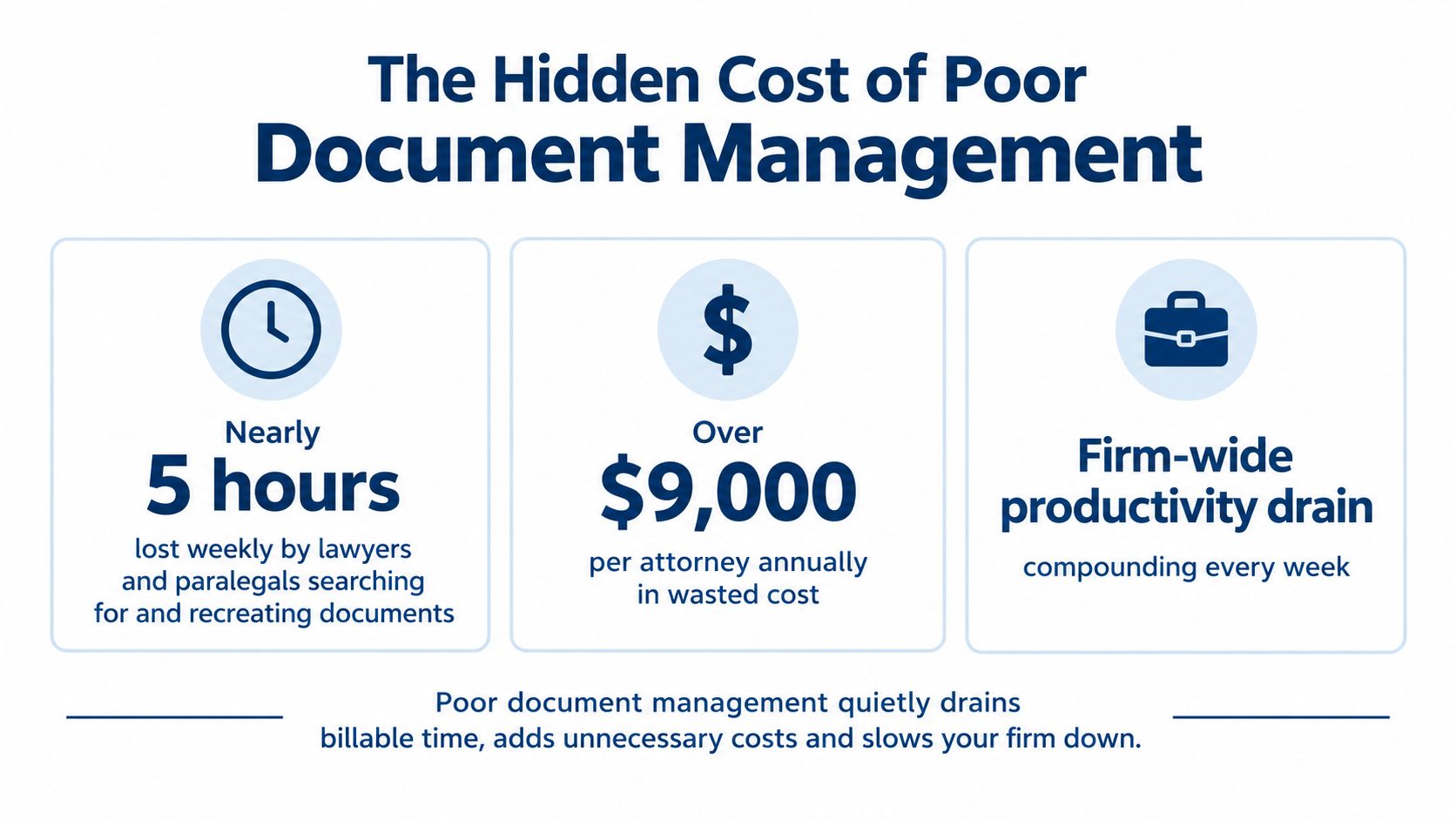
Lawyers and paralegals can lose 2.3 hours each week searching for documents and another 2.0 hours recreating work they can't find, costing firms about $9,071 per lawyer annually. Document management for law firms isn't merely a storage decision. It's a decision about how much attorney time, case momentum, and institutional knowledge the firm can keep.
A modern legal document system should make the right file easy to find, the current version obvious, and the retention decision defensible. It should also fit the way people work, because a beautifully configured system that attorneys avoid is just an expensive filing cabinet with better branding.
Table of Contents
- The Hidden Cost of Poor Document Management
- Building a Matter-Centric Document System
- Separating Active Files from Long-Term Records
- Why Upgrades Fail Without Workflow Change
- Integrating Document Workflows with Case Operations
- Staffing Models for Sustainable Document Management
The Hidden Cost of Poor Document Management
The productivity drain is measurable. An IDC-based analysis of legal document work found that lawyers and paralegals lose 2.3 hours per week searching for documents and 2.0 hours recreating documents that can't be found. Across document-creation and management activities, the reported waste costs firms about $9,071 per lawyer per year and reduces total productivity by 9.8%.
Those lost hours rarely appear on an invoice labeled “document problem.” They show up as an associate searching an inbox before a client call, a paralegal rebuilding a chronology from scattered attachments, or a partner reviewing the wrong draft because three files have nearly identical names. The firm pays for the time even when nobody can bill it.
From paper storage to information governance
Law firms have already made a major historical shift from paper-heavy records to electronic files. An Iron Mountain survey of more than 200 law firm professionals found that only 10% of firms had already moved to primarily electronic files. Another 28% said they had gone paperless or would do so within five years, while 29% were considering that path.
The adoption story was ahead of the governance story. The same survey found that 79% of firms already had a records policy, but 31% of those policies covered paper only. Nearly one-third of firms hadn't yet established policies for handling digital files. Moving a document into a shared drive doesn't create governance. It just gives the document a new place to become difficult to find.
That distinction matters because electronic records multiply quickly. A matter can accumulate pleadings, discovery, correspondence, medical records, billing statements, drafts, signed documents, and messages from several systems. Without ownership and rules, every employee develops a private filing theory. Some theories involve client names. Others involve desktop folders called “final,” “final two,” and “final revised.”
Practical rule: Treat retrieval time as an operating cost, not an individual employee's minor inconvenience.
The economics reach beyond search
Poor document management also interrupts work that depends on documents arriving in the right sequence. A delayed medical record can hold up a case review. An incomplete file can force a second request to a provider. A missing lien document can delay resolution discussions. The problem isn't just that the file is messy. The problem is that the next legal or administrative action can't happen.
That makes document management an operational lever. Better classification reduces hunting. Reliable version control reduces rework. Clear ownership keeps records moving through the matter instead of sitting in someone's inbox until the matter becomes urgent.
Firms don't need to buy every feature offered in a demonstration. They do need to decide which work should be faster, which risks require controls, and who will maintain the system when the initial enthusiasm has passed. Software matters, but the business case begins with the work the firm is currently paying people to repeat.
Building a Matter-Centric Document System
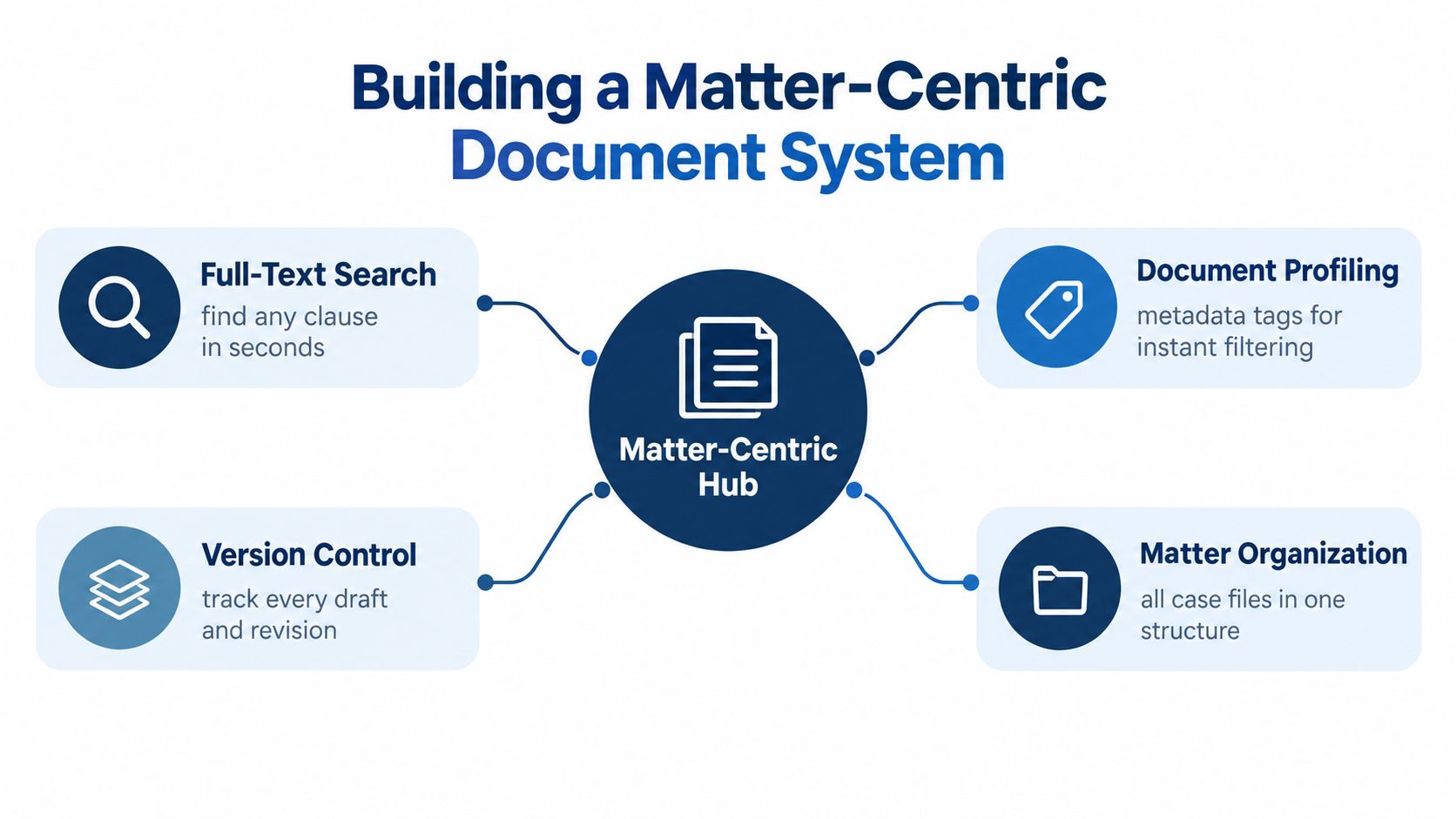
A legal document system should be organized around clients and matters, not around whichever employee happened to create the first folder. The Association of Legal Administrators' guidance on simplifying document retrieval identifies matter-centric organization, full-text search, document profiling, and version control as core requirements for retrieving pleadings, exhibits, and correspondence without relying on folder browsing.
Start with the matter structure
Build the system around a consistent matter record. At minimum, the structure should make it clear:
- Which client and matter apply: Use a reliable matter identifier rather than a client's nickname or an attorney's shorthand.
- What document type is involved: Separate pleadings, correspondence, discovery, medical records, billing, liens, agreements, and internal work product.
- What stage the matter has reached: Distinguish active work from completed, archived, or awaiting-action material.
- Who owns the next step: A file can be perfectly labeled and still stall if no person is responsible for reviewing or advancing it.
The exact folder design will vary by practice area, but the logic shouldn't. A personal injury matter may need medical records, provider correspondence, bills, lien materials, and demand documents. A transactional matter may need drafts, diligence, closing materials, and post-closing records. Both need predictable organization.
Make search do the heavy lifting
Full-text search is valuable when documents are indexed consistently and scanned files can be searched through appropriate text recognition. Metadata makes the results more useful. A search for “release” should be filterable by matter, document type, date, author, or status instead of returning every occurrence across the firm.
Document profiling can include matter number, client, document type, responsible team, confidentiality classification, and status. Do not create a metadata field just because the software offers one. Each field should answer a real retrieval or governance question.
Version control is equally practical. It should show who changed a document, which version is current, and whether a prior draft remains available for review. “Final” is not a version-control system. It's a hopeful adjective.
Design for the least patient user
A system succeeds when filing is easier than bypassing it. Keep naming conventions short, predictable, and visible. Define where email attachments go, who files correspondence, how documents from portals are captured, and what happens when a file arrives without enough information to classify it.
If the firm uses Microsoft tools extensively, evaluating UpTime Web Hosting's Office 365 plans can be useful as part of a broader productivity and collaboration review. The relevant question isn't whether a platform has familiar applications. It's whether the firm's document, email, permissions, and matter workflows work together without creating duplicate repositories.
Give staff examples of acceptable filing, not just a policy document. Test the system with real pleadings, correspondence, and records. Then ask a new user to find a document without assistance. If the answer depends on tribal knowledge, the system still has work to do.
Separating Active Files from Long-Term Records
A document-management system and a records-management system serve related but different purposes. Active matters need speed, collaboration, and controlled editing. Closed matters need preservation, retention rules, legal-hold monitoring, and a defensible path to disposition.
Keeping everything active forever feels safe, but it creates its own problems. It makes search noisier, expands the access surface for sensitive information, and leaves the firm without a clear answer when someone asks whether a closed file should be retained or destroyed. Keeping too little can be worse. A records decision needs a policy, an inventory, and a documented reason.
Build the handoff into matter closing
Matter closing shouldn't be a ceremonial change to a status field. It should trigger a defined review:
- Confirm that required pleadings, correspondence, agreements, records, and final work product are present.
- Identify any legal hold, dispute, investigation, or client instruction that prevents disposition.
- Apply the appropriate retention category and destruction date.
- Move the matter into a read-only repository with restricted permissions.
- Record the action in an indexed destruction or disposition log when the retention period ends.
The Washington State Bar Association's document retention guidance describes retention as a lifecycle that includes planning, indexing, retrieval, backups, and secure destruction. It also discusses 5- to 7-year retention windows for many client files, along with encrypted backups, restricted download permissions, legal-hold monitoring, and an indexed destruction record. A firm should apply its own jurisdictional, practice-specific, and client-driven requirements rather than treating one window as universal.
Protect the archive from active-work habits
Read-only archiving is more than a security setting. It prevents a closed matter from becoming an unofficial template library, a place where old drafts are edited, or a duplicate source of truth. Authorized users may still need to retrieve records, but retrieval shouldn't automatically reopen editing rights.
Backups require the same discipline. An encrypted backup that nobody can locate or restore is not a useful continuity plan. Test restoration, restrict downloads according to role, and document who can approve access to archived matters.
Physical equipment also belongs in the lifecycle discussion. When a firm replaces drives, servers, or other storage media, it should use a documented chain of custody and a secure provider. For firms operating in Illinois, Reworx Recycling's IT disposal services for Chicago law firms offers relevant context for handling retired technology rather than sending sensitive equipment into the general recycling stream.
A useful records-management program for law firms should therefore connect the DMS, retention schedule, legal-hold process, backup plan, and destruction log. The handoff is where many firms discover that their document system was designed to store work, but not to govern its entire lifecycle.
Why Upgrades Fail Without Workflow Change
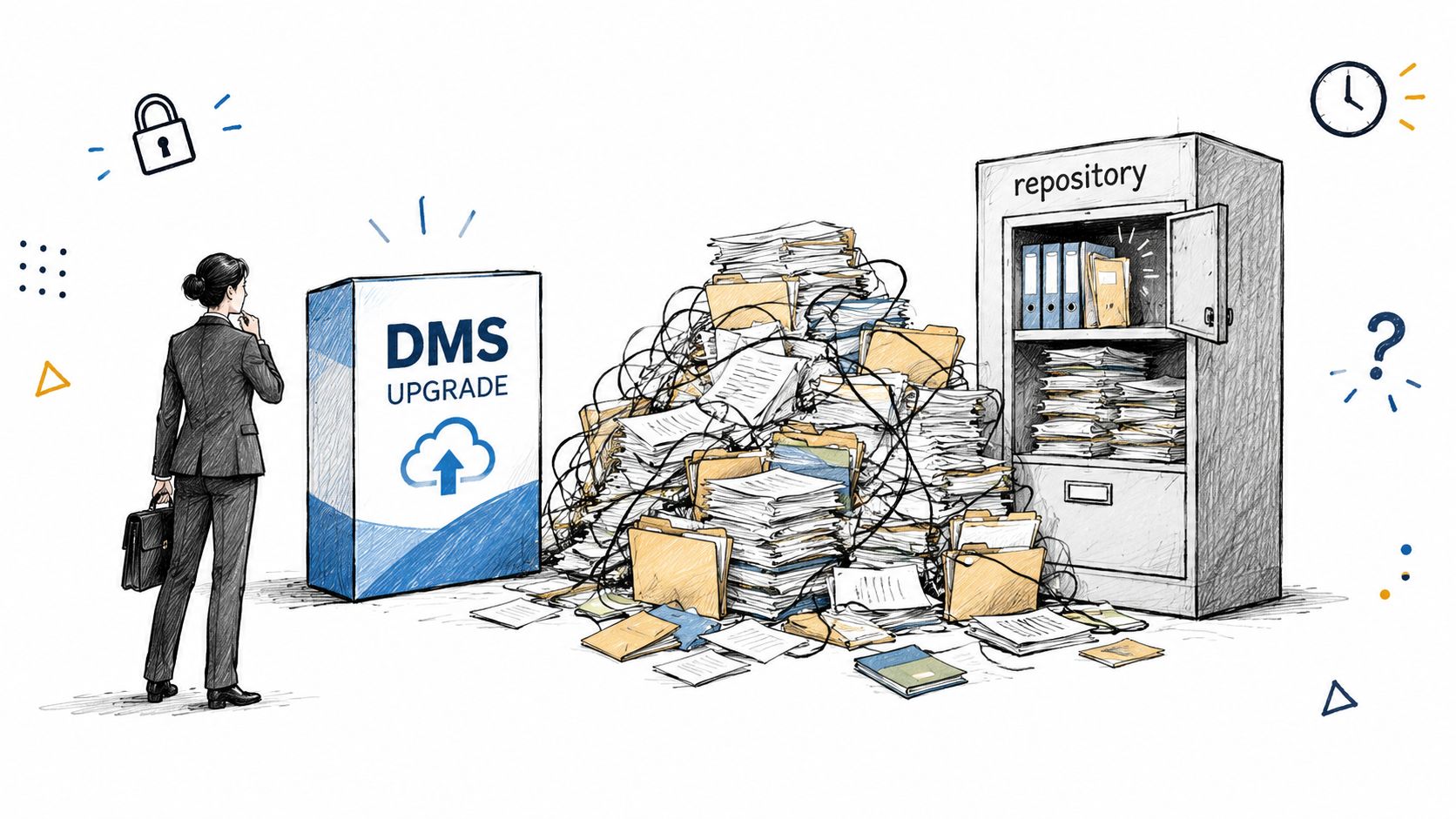
A new DMS can solve technical limitations. It can't make an inconsistent process consistent by itself. In a 2025 global survey of law-firm document management, firms rated repositories for precedents and templates, compliance monitoring, discovery compatibility, and collaboration tools as important. Yet only about one in five end users were reportedly using even the most important features.
That gap deserves more attention than the feature list. It suggests that the bottleneck often sits between the software and the work: unclear ownership, extra clicks, weak training, poor configuration, or a workflow that asks attorneys to perform filing tasks at exactly the moment they're trying to finish a deadline.
The adoption gap is an operating problem
The same survey reported that 67% of firms were planning document-management upgrades by 2025, while document management and reduction were cited by 58% of respondents as a top challenge in a 2026 survey. Those findings can coexist because buying software and using software are separate accomplishments.
A firm can have search, version control, collaboration tools, and compliance features. If attorneys save locally, staff file inconsistently, and nobody reviews exceptions, the firm has purchased capability without creating capacity.
A DMS shouldn't be the official place where documents go. It should be the easiest place to put them.
Change the workflow before changing the logo
Before selecting an upgrade, map how a document enters, moves through, and leaves the firm. Follow a real email attachment, a scanned record, a signed agreement, and a revised pleading. Note every handoff, duplicate entry, approval, and point where someone relies on memory.
Then assign ownership. Someone should be responsible for matter setup. Someone should monitor filing queues. Someone should resolve uncategorized documents. Attorneys should know what they must do and what support staff will handle. “Everyone is responsible” usually means the document is waiting for someone who assumes another person has it.
Training should happen inside real workflows. Demonstrate how to file an email from the tools people already use, how to retrieve a prior version, and how to correct a misfiled record. Measure adoption through observable behavior, such as whether matters have complete closing records and whether teams use approved repositories instead of personal storage.
A practical records-management system framework can help separate policy design from day-to-day execution. The system matters, but the firm also needs people who will maintain the habits that make the system reliable.
Integrating Document Workflows with Case Operations
Document management becomes valuable when it keeps a matter moving. In a personal injury practice, that may begin with intake information, continue through provider requests and medical-record follow-up, and end with organized records, billing statements, lien materials, summaries, and demand preparation. Each item affects what the legal team can evaluate next.
Disorganized files and delayed record retrieval stall cases. A team may know that a provider was contacted, but not whether the request was complete. A billing statement may exist in an inbox while the case file shows no update. A lien notice may arrive after someone has already begun settlement preparation. The firm doesn't have a document problem in isolation. It has a broken sequence of case operations.
Connect intake to the matter record
Intake information should arrive in the case system with enough structure to support the next action. That includes contact details, matter type, source, key facts, conflict-check information, and a clear status. A lead that remains in a receptionist's notes isn't part of the firm's operational record.
Law-firm intake failures show why this matters. A Clio secret-shopper study of 500 firms found that 56% of firms answered calls live in 2019, while only 38% of missed calls were called back. In a repeat test in 2024, live answer rates fell to 40% and callback follow-through dropped to 25%. Taking a message is not intake, particularly when nobody owns the next action.
The document workflow should preserve the handoff from inquiry to opened matter. Intake notes, signed agreements, identification, correspondence, and initial records should have an owner and destination. Otherwise, the firm may generate demand successfully and still lose the opportunity in the administrative gap afterward.
Give case support a controlled queue
Records acquisition works better as a queue than as a collection of reminders. Track the request date, provider, authorization status, follow-up date, response, documents received, and outstanding items. When records arrive, file them against the correct matter, label them clearly, and route them for review.
The same principle applies to bills and liens. A records professional or paralegal should know what has arrived, what is missing, and what action is due. A case-management platform can help coordinate these tasks, but the firm still needs people to verify documents, resolve exceptions, and communicate with providers and clients. Technology doesn't call a records department just because the request is overdue. It has boundaries, which is one of its more consistent personality traits.
A structured case-management system workflow can connect intake, records, correspondence, deadlines, and case status. The result is more than a neater file. It's a matter that advances because the next person can see what happened, what is missing, and what must happen next.
Frontline signs the case. Staffline carries it. That operational division works only when the documents and tasks move with the matter instead of remaining trapped in separate inboxes and spreadsheets.
Staffing Models for Sustainable Document Management
Firms generally have three choices for document work: assign it to attorneys, distribute it among existing staff, or build dedicated capacity. The first option is expensive in attorney time. The second often works until caseloads rise, someone takes leave, or the most organized employee becomes the unofficial keeper of every file.
Hiring internally gives a firm direct control, but qualified legal support staff can be difficult to find and retain. It also creates management obligations that small and mid-sized firms may not have the capacity to absorb. Outsourcing individual tasks can reduce pressure, but a shared resource may lack the matter familiarity and accountability required for consistent work.
Compare the model to the workflow
A useful staffing decision asks:
- Does the work recur every day? File opening, records follow-up, CRM hygiene, calendar management, and document organization usually benefit from a consistent owner.
- Does the role require matter familiarity? If yes, rotating workers can create more handoffs and more explanations.
- Can the work be measured through completed actions? Define standards for filing accuracy, response times, queue completion, and escalation.
- Who manages exceptions? A support professional needs a clear path to ask questions, flag risk, and return judgment calls to the attorney.
Staffline provides dedicated, full-time legal support professionals who work with one firm, 40 hours per week, inside the firm's systems. Attorney Assistant sources, vets, and trains staff on legal support fundamentals, while the firm trains the professional on its specific workflows and preferences. The model can support case management, records and bill retrieval, lien reduction, file opening, calendar and inbox management, CRM hygiene, intake, and administrative work.
That arrangement doesn't replace a DMS or solve a poorly designed process automatically. It gives the process an owner. Attorneys can focus on legal judgment instead of searching for attachments, rebuilding files, or checking whether a routine follow-up happened.
For firms that also need round-the-clock opportunity capture, Frontline provides 24/7 live intake, including nights and weekends, lead qualification, structured follow-up, English and Español coverage, quality assurance, and teams trained to qualify and sign appropriate matters. It isn't an answering service. A message without follow-through is just a voicemail with better posture.
Attorney Assistant provides trained legal support staff who can organize documents, manage records, maintain matter workflows, and handle the administrative work that otherwise pulls attorneys and overloaded staff away from legal work. Visit Attorney Assistant to assess where document-management ownership, case-support capacity, or 24/7 intake would fit in your firm's operating model.
Related Articles

Legal Documents Management for Law Firms: A Practical Guide
A practical guide to legal documents management for law firms covering organization, version control, retention, security, workflows, and staffing roles.

Records Management Program: How to Build One That Works
Build a records management program that survives real law firm operations. Covers policy, retention schedules, roles, tech, and compliance checks that staff
How to Call Answer Phone for Your Law Firm
Learn how to call answer phone professionally at your law firm. A practical guide to building 24/7 intake, scripting, and follow-up that signs cases.