What Is Automated Appointment Booking? A Business Guide

TL;DR:
- Automated appointment booking eliminates manual scheduling and reduces no-shows through multi-channel reminders.
- It saves labor hours, responds instantly to inquiries, and prevents double-bookings with real-time calendar sync.
Automated appointment booking is a system that lets clients schedule appointments instantly without any manual handling by staff. The industry term for this is an automated scheduling system, and it covers the entire visit lifecycle: inquiry, availability check, confirmation, reminders, and follow-up. 67% of customers prefer online booking over calling an office directly. That preference is not a trend. It is a permanent shift in how clients expect to engage with service businesses.
What is automated appointment booking and how does it work?
Automated appointment booking is software that connects your calendar to a client-facing interface, then handles every step of the scheduling process without staff involvement. A client selects a time, the system checks real-time availability, confirms the slot, and sends a calendar invite. No phone tag. No back-and-forth emails.
The process follows a clear sequence:
- Inquiry received — A client submits a request via website widget, SMS, phone AI, or messaging app.
- Availability check — The system queries your live calendar and surfaces open slots.
- Booking confirmed — The client selects a time and receives an instant confirmation with a calendar invite.
- Reminders sent — Automated messages go out at preset intervals (24 hours out, 2 hours out, day-of).
- Follow-up triggered — Post-appointment messages collect feedback or prompt rebooking.
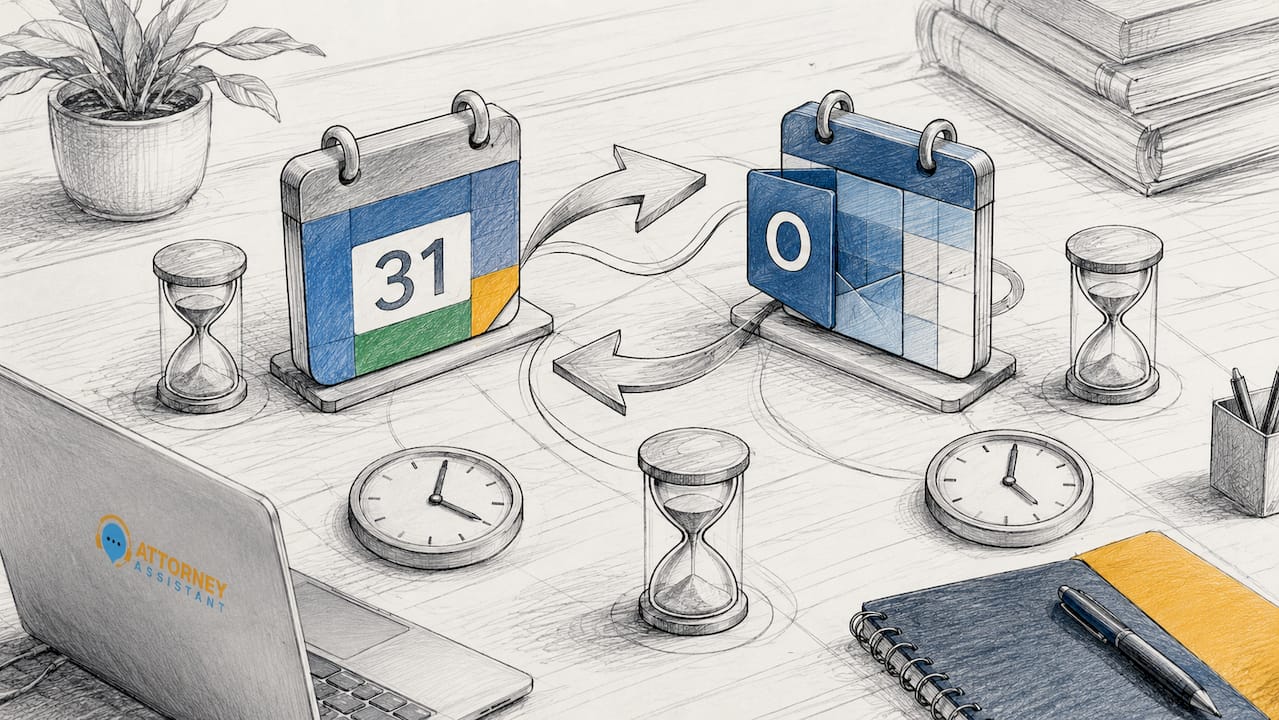
Calendar integration is the backbone of this process. Two-way calendar sync with Google Calendar, Microsoft Outlook, and Apple Calendar reflects personal schedule blocks automatically and prevents double-bookings in real time. That means if you block Tuesday afternoon for a team meeting, no client can book that slot.
Multi-channel access matters too. Clients book through website widgets, SMS links, or AI-powered phone reception. Embedding a self-service booking widget linked to a live calendar reduces no-shows and cuts administrative labor significantly. The system does not care whether it is 2:00 PM or 11:00 PM. It books the appointment either way.
Pro Tip: Set your reminder sequence to fire at three intervals: 48 hours before, 24 hours before, and 2 hours before the appointment. Each touchpoint catches a different type of client behavior and compounds the no-show reduction effect.
What are the key benefits of automated appointment booking for businesses?
The primary benefit is not convenience. It is revenue protection. Every missed call, slow response, or scheduling error is a lost client. Automated booking closes those gaps at the operational level.
Dramatic reduction in no-show rates
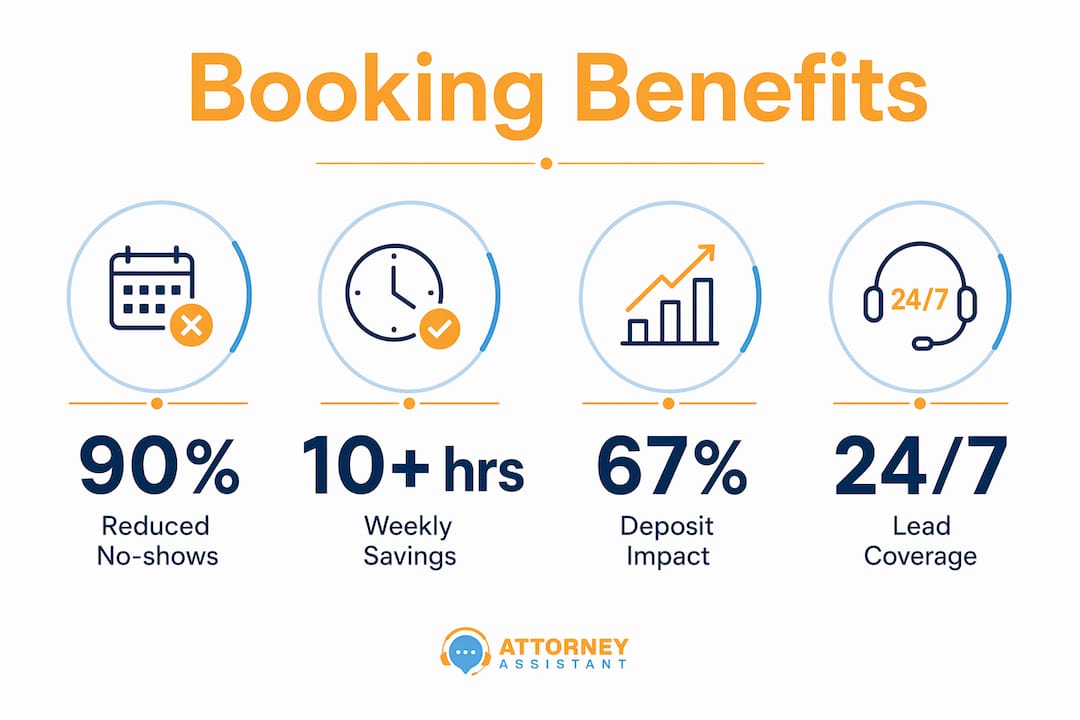
Automated reminders reduce no-show rates by 25–90% depending on the reminder strategy used. That range is wide because the channel, timing, and frequency of reminders all affect outcomes. SMS reminders outperform email for same-day appointments. Multi-channel sequences outperform single-channel every time.
Deposit collection compounds the effect. Collecting a deposit at booking reduces no-shows by 67%. A client who has paid $50 upfront is far more likely to show up than one who booked for free with zero commitment.
Labor savings that add up fast
Manual scheduling is expensive in staff time. Automating appointment schedules saves over 10 labor hours per week. For a firm billing $200 per hour in staff time, that is $2,000 per week recovered and redirected to client-facing work.
Staff freed from phone tag and calendar management can focus on intake quality, case preparation, and client communication. That is a structural improvement, not just a time-saving trick.
Speed-to-lead advantage
Responding to an appointment inquiry within five minutes increases the likelihood of booking by 100 times compared to a response delayed by even an hour. Automated booking systems respond in seconds. A human-staffed front desk cannot compete with that speed during peak hours, and it certainly cannot compete after 5:00 PM.
23% of business calls occur after hours. Without automation, those callers reach voicemail and often move on to the next provider. With an automated scheduling system, they book immediately.
Pro Tip: Connect your booking system to your CRM so every new appointment automatically creates a client record. This eliminates duplicate data entry and gives your team full context before the appointment starts.
Prevention of double-bookings and calendar conflicts
Double-bookings damage client trust and create internal chaos. Two-way calendar sync eliminates the problem entirely by treating the calendar as a live, authoritative record. Automated booking acts as a reliable source of truth, ensuring that what clients see reflects what is actually available.
What features should you look for in appointment scheduling software?
Not all booking tools are built the same. The features that matter most depend on your business volume, staff size, and client communication needs. Here is what to evaluate before committing to any platform.
Calendar and availability management
Two-way sync is non-negotiable. One-way sync pushes appointments to your calendar but does not pull your personal blocks back to the booking interface. That gap creates double-bookings. Look for platforms that sync with Google Calendar, Outlook, and Apple Calendar simultaneously.
Buffer times are equally important. A 15-minute buffer between appointments prevents back-to-back overruns from cascading into a broken schedule. Staff and resource management features let you assign specific team members or rooms to specific appointment types.
Communication and reminder channels
The best platforms send reminders via SMS, email, and WhatsApp. SMS has the highest open rate for time-sensitive messages. Email works for detailed pre-appointment instructions. WhatsApp reaches clients who prefer messaging over traditional channels.
Customization matters here. You need control over message timing, content, and frequency. A one-size reminder template does not serve a law firm the same way it serves a hair salon.
Online payment and deposit collection
Payment integration at the booking stage serves two purposes. First, it collects revenue before the appointment. Second, it filters out low-commitment clients who inflate your calendar and then no-show. Look for platforms that support Stripe, Square, or direct bank transfer at the point of booking.
Intake forms and customization
Intake forms embedded in the booking flow capture client information before the appointment starts. For law firms, this means case details, contact information, and conflict checks completed before the first call. That preparation shortens the intake appointment and improves conversion. Legal administrative workflows that include pre-appointment intake forms consistently outperform those that collect information manually during the call.
Setup time as a quality signal
High-quality booking platforms go live in under 60 minutes for small and medium-sized businesses. A setup process that takes multiple days signals a tool built for enterprise complexity, not agile operators. If the onboarding requires a dedicated implementation team, the platform is likely over-engineered for your needs.
How do you implement automated booking successfully?
Implementation is where most businesses leave value on the table. The technology works. The failure point is almost always in how it is configured and communicated to clients.
Start with a clear booking flow. Every client touchpoint, from your website to your email signature to your voicemail, should include a direct link to your booking page. Friction in the path to booking kills conversions. The fewer clicks between “I want to schedule” and “appointment confirmed,” the better.
Configure your reminder sequence before you go live. A reminder sent 48 hours out gives clients time to reschedule. A reminder sent 2 hours out catches last-minute cancellations before the slot is wasted. Both serve different functions and both are necessary.
Use deposit collection from day one if no-shows are a recurring problem. Introducing deposits after clients are accustomed to free booking creates friction. Starting with deposits as the default sets the right expectation from the first interaction.
Monitor buffer times during the first 30 days. If appointments consistently run over, increase the buffer. If you are losing too many bookable slots to padding, reduce it. The right buffer time is specific to your service type and average appointment length.
Train your staff on the transition. Automated booking frees staff to act as client service professionals rather than administrative clerks. That shift requires a deliberate change in how staff spend their time. Define what “high-value client support” looks like in your firm and redirect the recovered hours there.
For law firms specifically, legal intake automation paired with automated booking creates a complete front-end system. Leads come in, book immediately, complete intake forms, and arrive at the first appointment already qualified. That is a fundamentally different intake experience than the industry average.
Smaller firms often worry that automation will make them feel less personal. The opposite is true. Clients who book automatically show higher commitment levels because the formal confirmation and calendar invite create a psychological contract. The firm feels more organized, not less human.
Pro Tip: Add a short video or welcome message to your booking confirmation email. It takes 10 minutes to record and dramatically increases the sense of personal connection before the first appointment.
Key Takeaways
Automated appointment booking is the single most direct way to close the gap between incoming leads and confirmed appointments without adding staff.
| Point | Details |
|---|---|
| Core definition | Automated booking manages the full scheduling lifecycle without manual staff involvement. |
| No-show reduction | Multi-channel reminders and deposit collection cut no-shows by up to 90%. |
| Labor savings | Automating scheduling recovers more than 10 staff hours per week for client-facing work. |
| Speed-to-lead | Responding within five minutes increases booking probability by 100 times versus delayed responses. |
| Setup benchmark | Quality platforms go live in under 60 minutes. Longer setups signal the wrong tool for the job. |
Why I think most businesses underestimate what booking automation actually fixes
The conversation around automated booking almost always centers on convenience. Fewer phone calls. Clients can book at midnight. Staff spend less time on hold. Those benefits are real, but they miss the deeper operational problem that automation solves.
The real issue is that manual scheduling creates a leaky front end. A lead calls, reaches voicemail, and moves on. A lead emails, waits 24 hours for a reply, and books with someone else. A lead books, gets no reminder, forgets, and no-shows. Each of those failures costs real revenue, and none of them show up clearly on a P&L. They just look like “slow months.”
What I have seen consistently is that businesses adopting automated booking do not just save time. They recover clients they were already losing. The speed-to-lead advantage alone changes the math. When a system responds in seconds instead of hours, the conversion rate on inbound inquiries goes up materially. That is not a marginal improvement. It is a structural fix.
The implementation mistakes I see most often are not technical. They are behavioral. Firms configure the system but do not update their website, voicemail, or email signature to point clients toward it. The booking page exists but no one finds it. The reminder sequence is set up but never tested. The deposit feature is skipped because it feels awkward to ask for money upfront.
For law firms specifically, the stakes are higher. A missed intake appointment is not just a lost hour. It is a potential case that went to a competitor. Pairing automated booking with a firm-wide client follow-up workflow closes the loop completely. The system books, reminds, and follows up. The attorney shows up to a prepared client. That is what good operations look like.
Automation does not replace the relationship. It protects the relationship from being killed by administrative failure before it even starts.
— Nicole
How Attorney Assistant helps law firms fix their booking and intake gaps
Law firms lose cases before the first appointment is ever scheduled. A missed call, a slow reply, or a no-show with no follow-up is enough to send a potential client to the next firm on their list.
Attorney Assistant handles the intake, follow-up, and scheduling workflows that firms consistently drop. That means faster responses to inbound leads, automated reminders that reduce no-shows, and intake forms completed before the first call. Firms that work with Attorney Assistant stop losing revenue from leads they already paid to acquire. If you want to see where your firm is leaking, the lead revenue calculator is a good starting point. Or book a call to talk through what a better intake and booking system looks like for your practice.
FAQ
What is automated appointment booking?
Automated appointment booking is software that manages the full scheduling process without manual staff involvement. It checks availability, confirms bookings, and sends reminders automatically.
How does appointment automation reduce no-shows?
Automated reminders sent via SMS, email, or WhatsApp at key intervals before an appointment reduce no-show rates by 25–90%. Collecting a deposit at booking reduces no-shows by an additional 67%.
How long does it take to set up an automated booking system?
Quality platforms designed for small and medium-sized businesses go live in under 60 minutes. A setup process requiring multiple days typically signals a tool built for enterprise operations.
Can automated booking work for law firms?
Yes. Law firms use automated booking to capture after-hours leads, reduce intake no-shows, and collect pre-appointment information via intake forms. The speed-to-lead advantage is particularly valuable in competitive legal markets. Firms using legal admin automation report faster intake cycles and higher lead conversion rates.
What integrations should an automated booking system have?
Two-way calendar sync with Google Calendar, Outlook, and Apple Calendar is the baseline requirement. Payment processing via Stripe or Square, SMS and email reminders, and CRM integration round out a complete system.
Recommended
Related Articles
Keep the Conversation Going: 8 Intake Follow-Up Tactics
Learn how to keep the conversation going with law prospects using eight practical intake and follow-up tactics, from speed-to-lead to attorney handoffs.
Preferred Method of Contact for Law Firm Intake
Discover how to capture and use the preferred method of contact in legal intake to improve conversions, ensure compliance, and streamline law firm operations.

1st Dollar Coverage in Law Firm Retainers: A Practical Guide
Understand 1st dollar coverage in legal and insurance contexts. Learn how it shapes intake, retainer strategy, firm revenue, and risk.