Your receptionist is on hold with a records department, the second line is ringing, and a web form submitted on Sunday is still sitting in an inbox nobody owns. The attorney is in a deposition. Somebody's paralegal is doing three jobs, and one of them is answering the phone badly. None of that is unusual, and none of it is really a headcount problem.
The instinct is to hire another person or buy another tool. What helps is deciding, task by task, which parts of reception need a human and which parts need a rule.
Table of Contents
- What Front Desk Automation Means for a Law Firm
- Which Front Desk Tasks Can Be Automated
- How a Call Moves From First Ring to Signed Case
- Where Human Oversight Has to Stay
- Why Automated Responses Still Lose Leads
- Metrics That Show Whether Automation Works
- Map Your Handoff Rules Before You Switch It On
What Front Desk Automation Means for a Law Firm
Front desk automation is the repeatable first layer of law firm reception, where software and trained staff answer calls, capture details, and route callers or book time under written rules. It is not a robot lawyer. It is not a phone tree with better hold music.
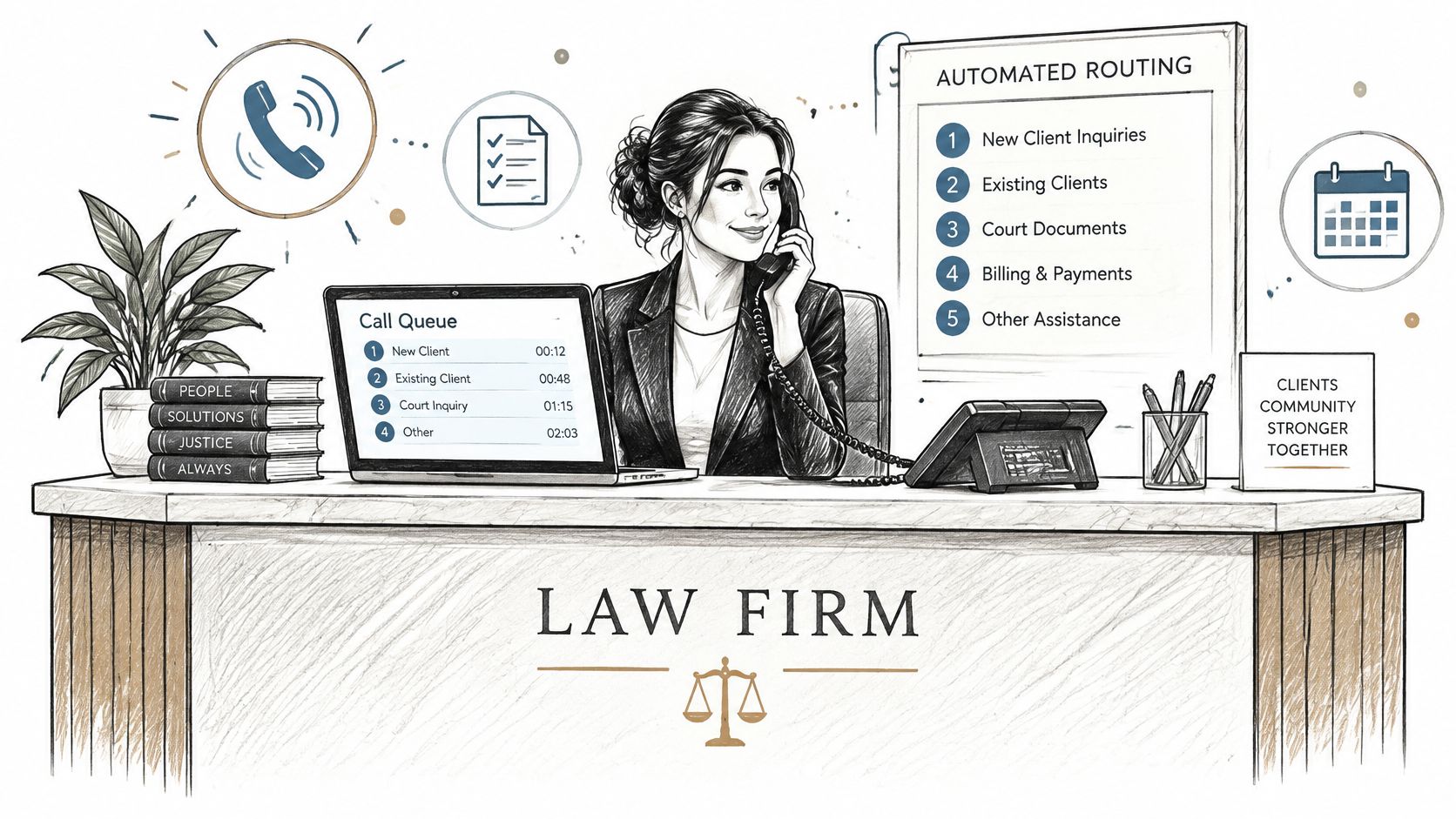
Picture a caller at 9:40 on a Tuesday night, two hours after a rear-end collision, trying to find out what happens next. At one firm the call rolls into a voicemail box nobody checks until Thursday. At another, someone answers, captures her name, number and matter type, and tells her a person will call her back first thing. The difference between those two firms is not budget. It is whether anyone wrote down what the first layer does.
Every intake design comes down to three jobs: answer, capture, and route. Answer means a live voice picks up, not a recording. Capture means structured fields in the system, not a sticky note on a monitor. Route means the matter lands with the right person under rules somebody wrote, rather than with whoever happens to be free.
This is a mainstream operational question now, not an experiment. IBM's 2024 Global AI Adoption Index reported that 26% of customer-service professionals had integrated AI into daily workflows or were experimenting with it, and that 35% of organizations were using AI to improve agent efficiency, according to the published index figures.
A receptionist who never sleeps, follows the script exactly, and cannot read the room is still an improvement over voicemail. She is also not a substitute for judgment.
She will not notice that the caller's voice is shaking, and she will not catch the moment a caller mentions a fall at a rental property, which changes which attorney should get the file. That is not a defect to fix in the next software release. It is the boundary to design around.
Automation covers the repetitive layer: the hours, the fields, the routing rules, the reminders. The open question for every firm is where attorney judgment has to begin.
Which Front Desk Tasks Can Be Automated
Sort the work before you shop. Every front desk task sits somewhere between "a rule can handle this" and "a person has to decide," and the sorting is what makes an automation plan safe.
| Task | Automation level | Human checkpoint |
|---|---|---|
| Answering calls outside business hours | Fully automated first answer | Human callback for anything flagged urgent |
| Routing calls to the right person | Automated under written rules | Staff own the rules and handle exceptions |
| Capturing name, contact and matter type | Automated structured intake | Staff review before any matter is opened |
| Collecting conflict-check data | Automated data collection | Attorney or staff runs the actual conflict check |
| Booking consultations | Automated within set calendar rules | Staff confirm complex or same-day slots |
| Sending reminders and follow-up messages | Automated on a fixed schedule | Staff approve scripts and stop rules |
| Answering questions about case merits | Not automated | Attorney or qualified staff only |
| Handling distressed or emergency callers | Automated transfer only | Immediate human escalation |
| Discussing fees or settlements | Not automated | Attorney only |
| Taking a message | Not intake | Staff follow-up with a defined next step |
The rule underneath the table is short: automate the administrative actions, supervise anything that involves judgment. Answering a phone at 11 pm is administrative. Telling a caller whether she has a case is not, and no amount of training data changes that.
That distinction matters because administrative load is where attorney hours disappear. A Thomson Reuters survey of more than 400 solo and small-firm lawyers found that 74% said they spent too much time on administrative tasks instead of practicing law, and that small-firm lawyers spent only 60% of their time, on average, doing client work. Repeatable scheduling, data entry and intake coordination top the automation list precisely because they consume hours without requiring a license. If you are still assembling that layer by hand, legal intake software is where the sorting usually starts.
The conflict-check row deserves its own note
The conflict check itself is run by the firm, by a person with access to the complete client list. Automation collects the names, entities and adverse parties that make the check possible, then hands them to whoever runs it. A system that announces "no conflict found" without a human confirming it is not a feature. It is a liability with a user interface.
Scope matters here too. Our Frontline team covers intake and reception, including after-hours answering, qualification, warm transfers and appointment setting. Back-office administration falls outside that scope and belongs to a dedicated staff member, because records requests and file maintenance are a different job from picking up the phone.
Copy the table into a document and add a fourth column: checkpoint owner. A checkpoint without a name attached is not a control. It is a hope.
How a Call Moves From First Ring to Signed Case
Here is what a closed loop looks like when someone has mapped it, rather than assuming the phone system handles it.
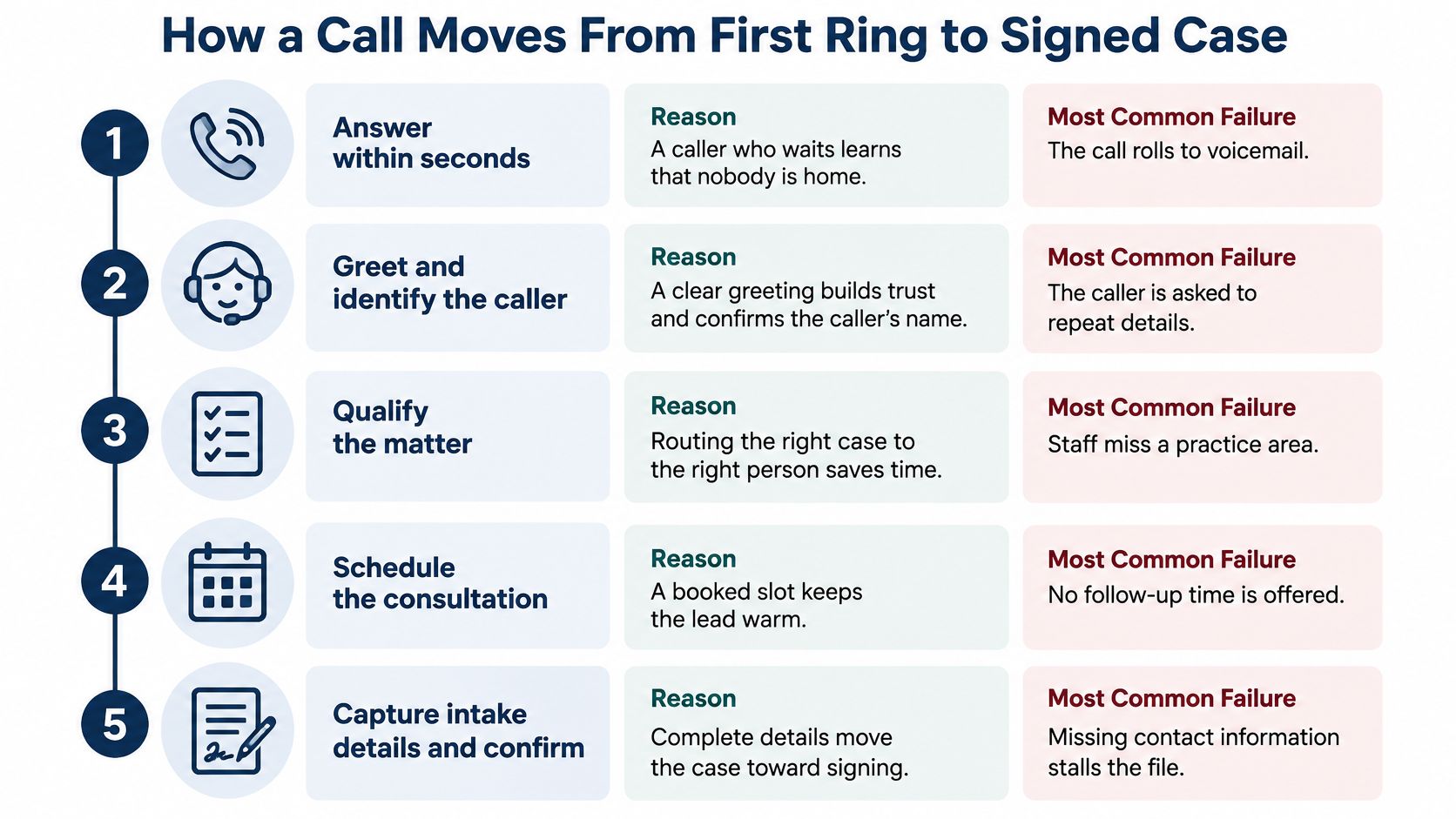
- Answer within seconds. A caller who waits 40 seconds learns that nobody is home, and her next act is dialing the next firm on the search results. The usual failure is the roll to voicemail at 12:01 because the receptionist went to lunch.
- Greet and identify. Name, callback number, matter type, in that order. Failure looks like a caller repeating her story to three different people before anyone writes it down.
- Qualify against your criteria. Record answers, do not evaluate merits. Practice area, county, incident date, whether she has already retained counsel. A script that asks everything and stores nothing is theater.
- Collect conflict-check details. Full legal names, business entities, adverse parties. Then hand them to the person who runs the check. The common failure is running that check after the consultation is booked and the retainer drafted.
- Route or book. Assign the attorney by practice area and venue, or place the consultation on the calendar within rules the firm set. A booked slot with no attorney attached is a scheduling bug, not a win.
- Warm-transfer when a person is needed. Stay on the line until the transfer connects, and confirm someone picked up. A blind transfer into a voicemail box is worse than no transfer, because the caller thinks she reached help.
- Flag anything unclear or urgent for review inside a set window. Fifteen minutes for a possible emergency, end of shift for everything else. A flag that lands in an unmonitored inbox is decoration.
- Follow up on a schedule. If the caller doesn't answer, attempt again on a defined sequence rather than once. One call, one voicemail, case closed is not a follow-up process.
The follow-up step most firms skip
Step eight is where the money leaks, and the size of the leak is measurable. Clio's intake analysis examined 441,153 stalled U.S. matters between December 2024 and December 2025, defining a matter as stalled when an intake form had been sent but not returned within seven days. Only 9.5% of those matters received any follow-up in the next 30 days.
Read that again in operational terms. A CRM record with no assigned follow-up action is less a pipeline than a digital suggestion box.
For a walkthrough of the whole sequence in motion, this overview covers the handoffs from first contact to signed agreement.
Once the retainer is signed, the shape of the work changes. Records requests, lien tracking, drafting and file administration move to a dedicated assistant who knows the matter, which is how a captured lead becomes a moving case instead of another folder.
Where Human Oversight Has to Stay
Maximum automation is the wrong target for legal reception. The job of the front desk is to move the right information to the right person quickly, not to reach legal conclusions faster. Once you accept that, the design question changes from "how much can we automate" to "which steps can run without a person, and which ones must not."
The hesitation is not hypothetical. A 2026 survey of 810 legal professionals across the United States, China and eight European countries, published in Wolters Kluwer's Future Ready Lawyer report, found ethical concerns and data privacy tied as the leading barriers to further AI implementation, each cited by 39% of respondents. Another 46% pointed to data-protection compliance and cyberattack safeguards, and 43% cited client confidentiality.
Those are the right worries, and they translate into five checkpoints that stay human regardless of how good the software gets:
- Legal questions. Any version of "do I have a case" goes to an attorney or a qualified staff member working from approved language.
- Vulnerable or distressed callers. Someone describing an injury to a child, or a caller who sounds unsafe, needs a person on the line now, not a queue position.
- Possible conflicts. Collected by automation, resolved by a human holding the full client list.
- Fees and settlements. Numbers come from the attorney. Every time.
- Unclear urgency. If the system cannot tell whether this is an emergency, a person decides.
Practical rule: write the prohibited-response list before you write the approved-script list. It is shorter, and it is the one that keeps you out of trouble.
The written controls a small firm should have on paper before going live:
- Approved scripts for greeting, qualification and scheduling, plus explicit prohibited responses such as opinions on case merit or guesses about value.
- Audit logs of automated conversations, reviewable by a named person on a set cadence.
- Retention rules for call recordings, transcripts and form data, aligned with your jurisdiction's requirements.
- Vendor access limits that define exactly what outside staff and systems can see, store and share.
- Escalation thresholds with a named human on the other end, plus a fallback when that person does not respond.
- Plain disclosure that the caller is speaking with an automated assistance system, delivered early and without a legal disclaimer read at auctioneer speed.
Professional conduct rules on confidentiality, supervision of nonlawyer assistants and advertising differ by jurisdiction, so check your state bar's guidance before the policy is final. The administrative half of this work, the part that involves no legal judgment at all, is where a dedicated assistant earns its keep: Staffline assistants learn the firm's processes, CRM and SOPs, which means the scripts and stop rules you write get followed by someone who knows the file.
If you are weighing a staffed answering service against an automated layer, read how live answering services work for law firms before signing a contract, and compare the escalation rules, not just the monthly fee.
Why Automated Responses Still Lose Leads
Start with the numbers, because they are unkind. Hennessey Digital's 2025 secret-shopper study measured the interval from online form submission to a firm's first personal outreach across a large national sample and found a median response time of 13 minutes.
| Metric | Benchmark | Source |
|---|---|---|
| Median first response to a web form | 13 minutes | Hennessey Digital 2025 secret-shopper study |
| Firms responding to web forms within 5 minutes | 25% | Hennessey Digital 2025 secret-shopper study |
| Firms responding to web forms within 10 minutes | 33% | Hennessey Digital 2025 secret-shopper study |
| Firms responding to web forms within 1 hour | 56% | Hennessey Digital 2025 secret-shopper study |
| Firms taking over 2 hours or not responding | 39% | Hennessey Digital 2025 secret-shopper study |
| Calls to law firms that went unanswered | 28% | CallRail analysis of 1.1 million tracked leads |
| Business-hours calls unanswered | 34.8% | 2025 test of 1,200 calls to small and midsized U.S. firms |
The phone side is no better. A CallRail analysis of 1.1 million tracked leads found that 28% of calls to law firms went unanswered, while a separate 2025 test of 1,200 calls to small and midsized U.S. firms reported a 34.8% unanswered rate during business hours, as compiled in Pareto Legal's intake benchmark summary.
Speed still decides who gets the case. A Harvard Business Review study of more than 15,000 leads and 100,000 call attempts across six companies found that contacting a lead within five minutes made it 21 times more likely to qualify than contacting it after 30 minutes, per this summary of the lead response research. The study was not limited to law firms. The mechanics do not care about your practice area.
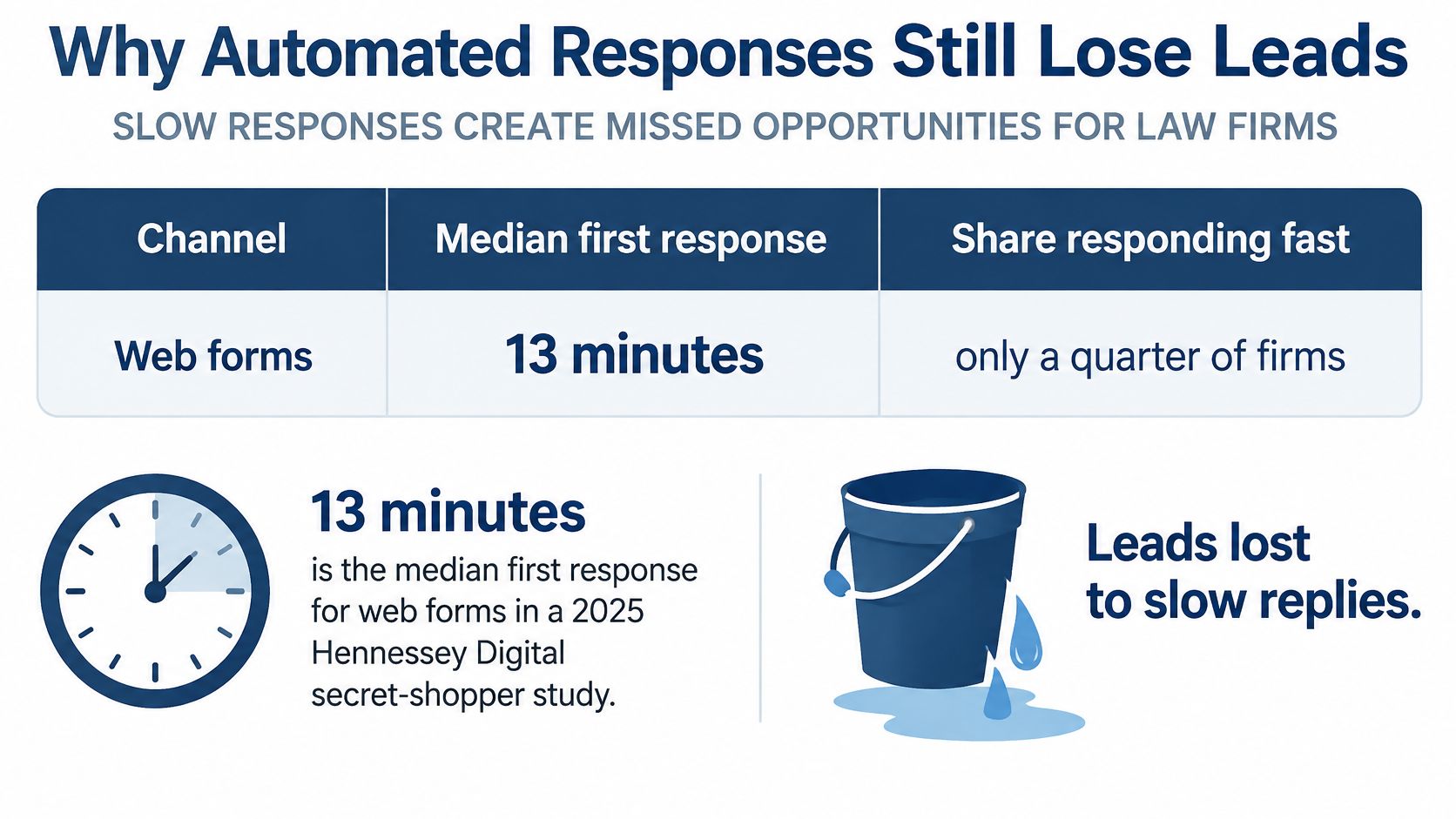
Here is where a fast automated acknowledgment gets mistaken for a solution. If calls, web forms and after-hours inquiries run on three separate tracks with no shared record, each channel produces its own version of the same prospect, and nobody owns the follow-up. An instant "thanks, we'll be in touch" email satisfies the software and changes nothing for the caller, who is already dialing someone else.
The fix is connective tissue rather than speed alone: one record per prospect, immediate human or qualified-agent contact, structured facts captured up front, routing by practice area and geography, and timed follow-up tasks that appear when the prospect does not answer.
One last habit worth fixing. In most case management systems, a missed opportunity and a nonviable matter look identical unless somebody records the reason. Two months later, the firm cannot tell whether marketing underperformed or intake dropped the ball, and everyone has a theory.
Metrics That Show Whether Automation Works
Answer rate is a vanity metric. A firm can pick up 95% of its calls and still sign very few cases, because answering is the cheapest part of the process and the least informative.
| Metric | What it reveals | Warning sign |
|---|---|---|
| Median response time | How fast a typical lead reaches a person | The median looks fine while after-hours leads wait far longer |
| 90th-percentile response time | How long the slowest leads wait | A long tail concentrated in evenings and weekends |
| Connection rate | Share of leads who reach a live person | Attempts rising while connections stay flat |
| Qualified-lead rate | Share of contacts passing intake criteria | Almost nobody is ever screened out |
| Appointment show rate | Whether booked consultations happen | Repeated no-shows despite reminders |
| Signed-retainer rate | Whether intake turns into engagements | Strong intake with weak signing |
| Abandonment reasons | Why prospects dropped out | The reason field is left blank most of the time |
| Conversion by source and hour | Which channels and times produce cases | One channel or time slot carries nearly all results |
The 90th percentile matters more than the average, because the average hides the tail. A firm with a two-minute median and a four-hour tail after 6 pm does not have a two-minute problem. It has an evenings problem, and the median will never show it. If you want the mechanics of compressing that tail, speed to lead covers the contact window itself.
Response quality belongs on the same sheet. A 2024 Clio study of law-firm responsiveness found that only 33% of 500 firms contacted by email responded, and among those that did, just 18% gave prospective clients clear next steps or cost information, according to Clio's legal trends release. Answering the message and giving the person somewhere to go are two different achievements.
A firm can answer every call and still lose the case, because a reply with no next step is a polite dead end.
Show rates usually trace back to the reminder and confirmation sequence before they trace back to the attorney. If confirmations are manual and depend on someone remembering at 4:45 pm, the no-show rate is a staffing symptom wearing a calendar costume.
Read the sheet, then change one thing
Try a scenario rather than a theory. A firm notices that after-hours calls convert at roughly half the daytime rate. The temptation is to blame marketing. The likelier cause is a handoff rule: the overnight agent collects the details but nobody calls the prospect before 11 am, by which point she has spoken to two other firms. The fix is a rule, not a campaign.
Review the sheet weekly, change one rule at a time, and write down what changed. Staffline assistants send daily clock-in and clock-out communications, which sounds like a small administrative detail until you realize it is how you know the work on that sheet happened.
Map Your Handoff Rules Before You Switch It On
A firm that skips this step usually finds out the hard way, on a live call, with a real prospect listening. Write the map first, test it against real calls, and only then let automation answer anyone. The order matters more than the tool.
- List every front desk task the firm handles, including the ones nobody wrote down, like the client who calls the receptionist's cell because she has it.
- Assign each task an automation level and a named checkpoint owner using the sorting table earlier in this article. No owner, no automation.
- Set the response-time target that triggers a human alert, and the escalation path when that alert goes unanswered. A target without an escalation path is a number on a dashboard.
- Load the approved scripts, prohibited responses and stop rules into every automated step, and decide in writing who is allowed to change them.
- Name the person who reviews audit logs weekly. Audit logs are only useful if a specific human reads them on a specific day, so put a name and a day on the calendar, not a team and a good intention.
- Run a two-week shadow period in which every automated answer is checked against what a person would have said, and fix the mismatches before live calls depend on it.
The shadow period is the step firms skip, usually because someone is impatient to turn the thing on. It is also the only cheap opportunity you get to hear what your own intake sounds like to a stranger. Two weeks of parallel running costs almost nothing compared to the price of a bad script signing, or worse, offending, your first hundred callers.
Where the map shows gaps in live intake or in case support, that is where to look next. Frontline covers 24/7 live intake, and Staffline places a dedicated assistant with one firm for the case work that follows, which means a single relationship from first call through to disbursement rather than two vendors and two sets of standards.
Attorney Assistant builds both halves of that map for law firms. Frontline answers, qualifies and signs cases around the clock, while Staffline puts a dedicated full-time assistant inside your systems for the records, liens, drafting and administrative work that follows a signed case. If the exercise above showed you where coverage or follow-up breaks down, start there: visit Attorney Assistant to see how the two fit together.
Related Articles

Personal Injury Lead Generation: 7 Sources and Intake Tips
Compare seven personal injury lead generation options and see how fast intake and follow-up turn leads into signed cases.
CRM for Law Firms: Intake, Follow-Up and Client Care
A plain-English guide to CRM for law firms: what to track from first call to signed client, the features that matter, and how to choose one.
Monitoring Phone Calls Without Breaking the Law
Learn how monitoring phone calls works, which methods need consent, how all-party states differ, and how to use call data without legal trouble.