Trial Preparation Checklist: 8 Steps for Readiness
Trial readiness is often treated as a countdown problem. The trial date gets close, everyone opens the same overflowing case folder, and somebody asks who was supposed to update the exhibit list. That approach confuses urgency with preparation.
A reliable trial preparation checklist starts much earlier. It connects pleadings and court requirements to discovery control, evidence organization, witness preparation, expert analysis, filings, exhibits, and courtroom logistics. A widely used framework divides preparation into case assessment, discovery, pre-trial work, and final preparation, with tasks moving from reviewing pleadings and drafting discovery to filing motions, preparing exhibits, and rehearsing opening and closing statements. This four-phase trial preparation structure reflects the practical reality that readiness is built across the life of a matter.
The sequence below treats trial readiness as an operating system, not a last-minute attorney sprint. It shows what needs legal judgment, what trained support staff can organize and track, and where a firm should create internal deadlines before court deadlines create them for the firm.
Table of Contents
- 1. Organize the case file and document system
- 2. Acquire, summarize, and organize medical records
- 3. Identify, reduce, and resolve liens
- 4. Control discovery and document compliance
- 5. Prepare witnesses and coordinate depositions
- 6. Review expert reports and integrate the timeline
- 7. Prepare demand materials and coordinate with opposing counsel
- 8. Prepare exhibits and jury presentation materials
- 8-Point Trial Preparation Comparison
- The last review before trial
1. Organize the case file and document system
A trial file should answer a basic question quickly: where is the document, what does it prove, and can the attorney trust the version on screen? If the answer requires searching three inboxes, two shared drives, and a folder called “final final exhibits,” the case isn't organized. It's merely distributed.
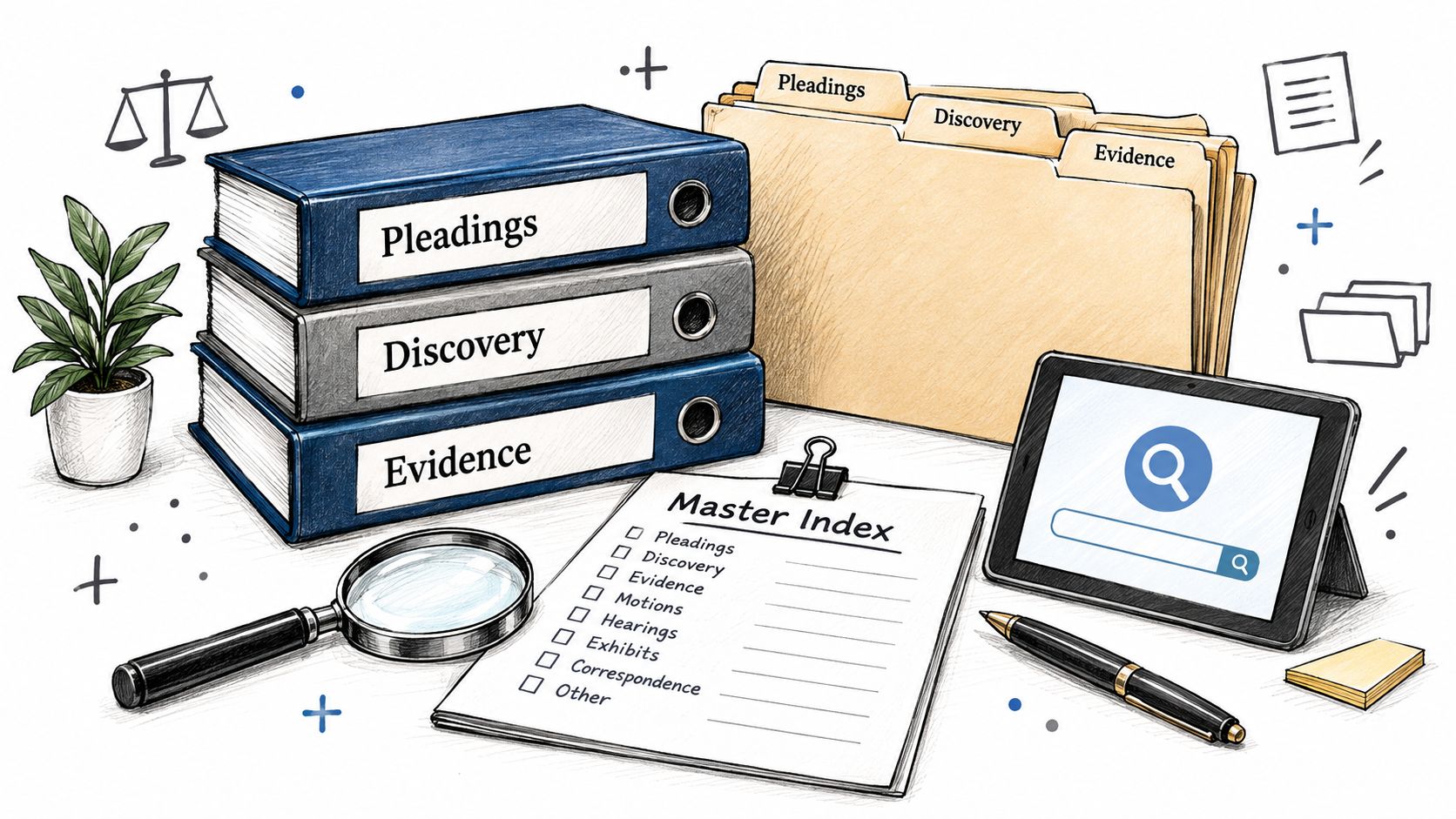
Build one controlled structure for pleadings, discovery, correspondence, medical or financial records, expert materials, deposition transcripts, motions, settlement communications, exhibits, and trial logistics. Use consistent naming conventions that include the document type, subject, date, and version. The precise convention matters less than using the same convention every time.
A personal injury firm might organize medical records by provider and treatment date, then cross-reference each record to the case chronology and damages analysis. A mass tort team might sort documents by defendant, issue, and relevance category. In employment litigation, emails, personnel files, policies, and performance records should be linked to the timeline they support rather than left as isolated files that require archaeological work.
Build a file that supports legal judgment
The master index should help an attorney move from a fact to the underlying document without asking a support professional to reconstruct the path. It should identify the document, location, source, date, related witness, and potential exhibit status. If a document is missing, the index should show that too. A blank space is more useful than a false sense of completion.
Use a dedicated owner for file maintenance. “The team” is not an owner, and “someone in litigation” is how documents become everyone's responsibility and nobody's task.
Practical rule: Attorneys should decide what matters legally. Trained support staff can maintain the structure that lets attorneys find and evaluate it.
A coherent document system reduces searching, duplicate work, and the chance that a filing or piece of evidence disappears into personal storage. Firms that want a more durable process can use this guide to improve document management for law firms. Staffline can also provide a dedicated professional to maintain case files, update indexes, manage naming conventions, and keep the operating record current inside the firm's systems.
2. Acquire, summarize, and organize medical records
Medical records rarely arrive in the tidy sequence implied by a demand letter. Providers respond at different speeds, billing departments send separate packets, and an initial production may omit the report everyone expected to see. In personal injury, mass tort, and workers' compensation matters, that disorder can obscure treatment progression, causation issues, damages, and gaps that opposing counsel will notice with irritating enthusiasm.
Start requests early and track each provider separately. Record the request date, contact information, response status, materials received, missing categories, and follow-up activity. A response marked “complete” should mean someone reviewed it against the request, not merely that an envelope arrived.
Turn records into a usable chronology
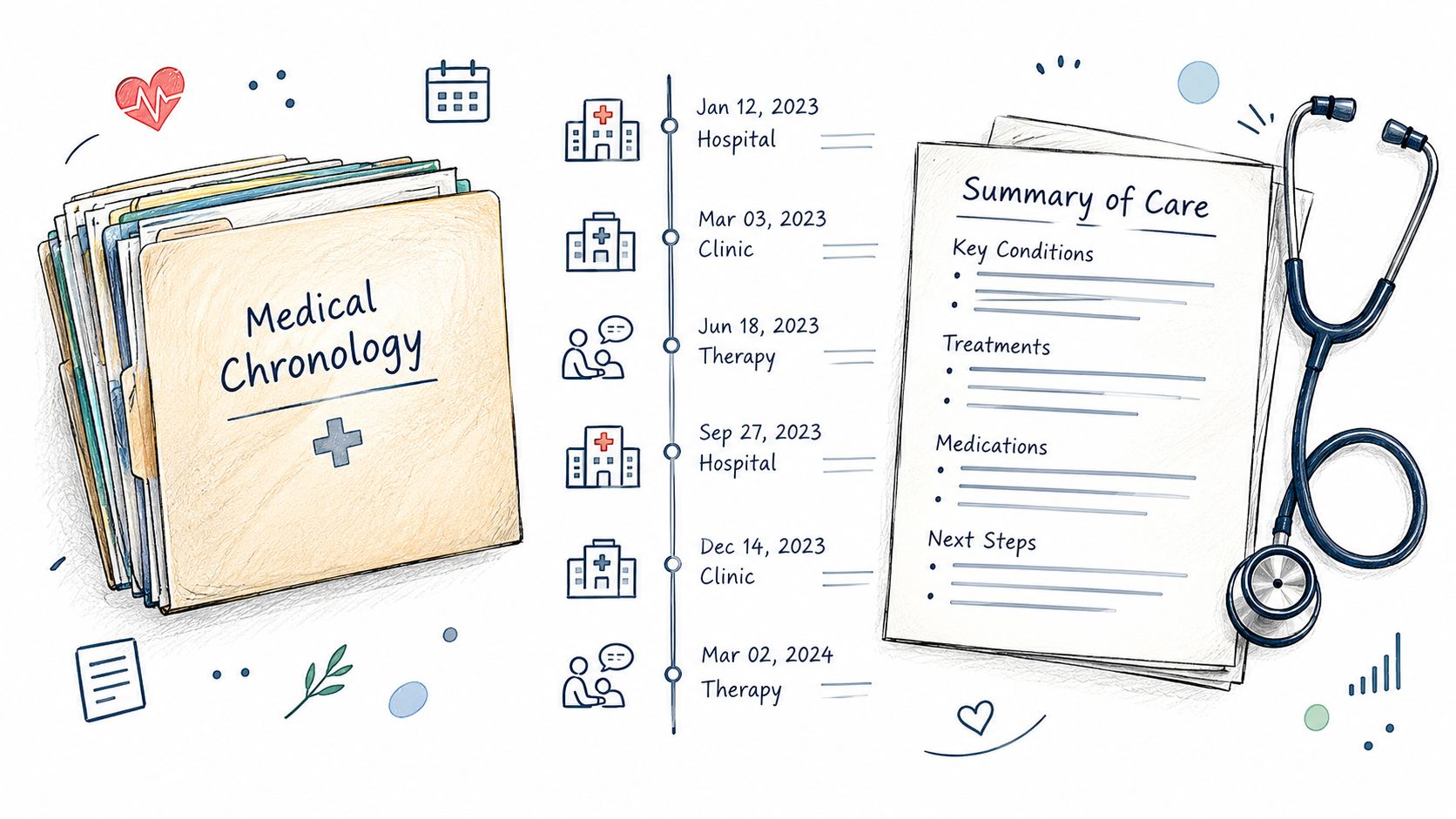
A medical summary should make the treatment story visible without replacing the underlying records. Capture provider, date, complaint, diagnosis, treatment, restrictions, imaging, medication changes, referrals, and unresolved issues. Use a standard template so summaries can be compared across matters and reviewed efficiently by attorneys and experts.
A personal injury team may discover a gap between providers that changes how it evaluates a damages argument. A mass tort practice may need consistent chronologies across a large claimant portfolio. A workers' compensation team may need to connect occupational medicine records with vocational evidence and the claimed disability. These are support tasks, but the legal significance of a gap or inconsistency belongs with the attorney.
- Track every request: Don't rely on memory or a vague note that records are “in progress.”
- Flag inconsistencies early: Missing visits, conflicting dates, and unexplained treatment changes deserve attorney review.
- Separate summary from source: A summary is a navigation tool, not a substitute for the record.
- Prepare experts in time: Experts need organized materials before their review and reporting work becomes urgent.
A dedicated legal support professional can handle provider follow-up, indexing, chronology preparation, and missing-record escalation while attorneys evaluate strategy. Firms can also review their process for medical records retrieval services when record acquisition has become a recurring bottleneck.
The aim isn't to create attractive binders. It's to give the attorney a dependable view of treatment over time, with every conclusion traceable to a source document.
3. Identify, reduce, and resolve liens
Lien work belongs in the case operating system long before anyone asks why settlement funds are still sitting in trust. Medical liens, workers' compensation claims, Medicare or Medicaid interests, and child support liens can affect the client's recovery, settlement administration, and the firm's post-settlement risk. Each possible interest needs an identified claimant, a verified basis, a communication history, a negotiation record where applicable, and written proof of resolution.
Create a lien record as soon as a potential claim appears. Record the claimant or agency, asserted amount, source of the claim, date received, current status, responsible owner, next follow-up date, negotiated position, and final discharge documentation. Link the record to the client file and settlement statement. A spreadsheet is sufficient if it is maintained as a control document. An abandoned spreadsheet is just another misplaced file with better formatting.
Search early because settlement pressure leaves little room for unanswered correspondence. Update periodically as new providers or agencies appear. Every request, response, reduction proposal, and follow-up should have an owner and a date. The question of who was supposed to call the lienholder becomes easier to answer when the case record says so.
Keep decisions separate from administration
A provider balance, an agency reimbursement interest, and a workers' compensation subrogation claim may involve different contacts and different legal treatment. Support staff can request statements, organize correspondence, prepare draft reduction requests, maintain the status log, and schedule follow-up. Attorneys must decide whether the claim is legally valid, approve negotiation positions, assess the effect on the client's recovery, and confirm compliance with applicable jurisdictional requirements.
A reduction request should explain the relevant recovery context, include supporting documentation, identify fees and costs where appropriate, and state the proposed resolution. Keep the negotiation history visible, including rejected positions and unresolved questions. Confirm in writing before closing the file. A verbal assurance does not establish that a claim has been released.
Escalate uncertainty when the claimant disputes the amount, asserts an unclear entitlement, or refuses to provide discharge documentation. That issue requires attorney judgment, not a checkbox marked complete.
Assign one trained support professional to maintain the lien workflow and enforce the next-action dates. The attorney still owns the legal decisions, but the file should not depend on memory or a settlement-day scramble. The medical lien management guide offers a practical reference for building that process.
Lien resolution is unglamorous work. A clean lien file protects the client, the firm, and the credibility of the settlement process, while preventing an avoidable claim from surviving closing.
4. Control discovery and document compliance
Discovery is not a row of completed events. It is the case's control system. Interrogatories, requests for production, admissions, document productions, privilege logs, depositions, and court orders must stay connected throughout the matter. The attorney should be able to see what was served, answered, produced, withheld, disputed, supplemented, and later used.
Build the discovery calendar at the outset. Assign every deadline, dependency, and next action to a named person. Index productions as they arrive, apply Bates numbering consistently, and maintain the privilege log during review. Cross-reference each response to the documents supporting it, particularly where the factual position may change as discovery develops.
Make discrepancies easy to surface
A large commercial email production needs searchable fields for date, sender, recipient, subject, and issue. A product liability file needs comparisons between discovery responses and produced documents, with contradictions flagged for review. In an employment matter, deposition transcripts should be indexed by witness, date, topic, and relevant testimony.
Trained support staff can handle indexing, naming conventions, deadline tracking, and first-pass comparisons. They should not decide whether an inconsistency is harmless, amend a response, waive privilege, or disclose a damaging document. If a response conflicts with a document or deposition answer, flag it for attorney direction. A completed checkbox is not compliance. It is a future explanation to the judge.
A discovery checklist should show status, ownership, dependency, and escalation. A row of green checkmarks may be measuring optimism.
Hold recurring attorney and support-staff reviews of open requests, overdue responses, disputed items, production gaps, privilege questions, and upcoming obligations. Set the frequency to fit the matter, then record assigned actions and due dates. The meeting should produce work, not another discussion about how busy everyone is.
A structured trial workflow may include searchable discovery indexing, standardized file names, deposition summaries, subpoena drafting, and digital binder creation. This trial preparation sequence shows how those tasks can be mapped to a countdown and assigned within a case-management system. The attorney owns judgment calls. The support team keeps the operating system running, so a missing exhibit or overlooked deadline does not become the firm's most memorable trial contribution.
5. Prepare witnesses and coordinate depositions
A witness plan is a small operating system inside the case. It connects scheduling, notices, documents, exhibits, preparation, testimony, and follow-up. If one part sits in someone's inbox, the deposition may proceed with the wrong exhibit, an unavailable witness, or a transcript no one can find afterward.
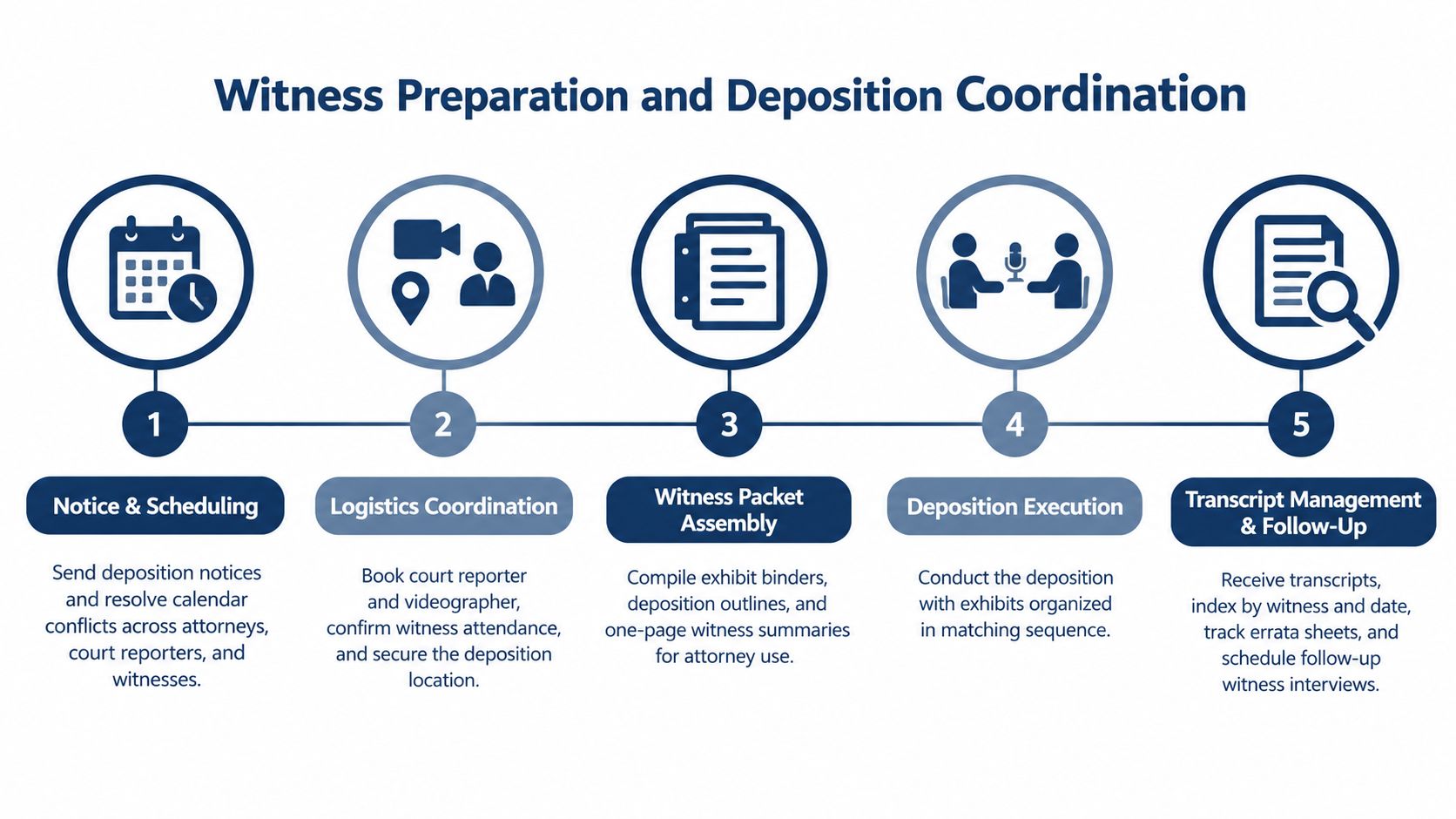
Start a separate record for each witness. Capture contact information, role in the case, availability, location, relevant documents, prior testimony, key facts, open questions, notice status, and preparation status. Coordinate opposing-counsel communications, court reporters, videographers, remote links, locations, exhibits, transcript requests, and follow-up interviews in the same workflow. The eternal mystery of who was supposed to update the exhibit list should not survive into trial.
Make the witness packet usable
The packet should let the attorney prepare without searching across folders. Include the witness summary, preparation outline, anticipated exhibits, prior statements, pleadings, and key records. Arrange exhibits in the same sequence as the outline where that helps the discussion.
The packet changes with the matter. A personal injury case may require coordination with treating physicians in different locations. A construction defect case may involve fact witnesses and experts with competing schedules. A medical malpractice case may need a focused packet linking medical records, expert opinions, and prior testimony. The scheduling details differ, but the failure pattern remains familiar: the deposition is on the calendar, the packet is not, and the problem appears at the least convenient moment.
Use a witness tracker to record notice status, availability, location, preparation status, transcript status, and follow-up. Build buffer into scheduling, because rescheduling consumes attorney, witness, reporter, and opposing-counsel time. Request transcripts deliberately by setting the delivery requirement and deciding how each transcript will be indexed.
Attorneys own substantive preparation, judgment calls, and ethical boundaries. Trained support staff can organize the packet, maintain the tracker, confirm logistics, request transcripts, and flag missing materials. They should not coach testimony or decide how a witness should address a damaging fact. A tidy folder cannot substitute for attorney direction.
A one-page witness summary helps the attorney get oriented quickly when it is sourced, dated, and clearly separated from attorney analysis. After the deposition, organize the transcript by witness and date, identify key testimony, and connect useful excerpts to the case chronology and exhibit plan.
The objective is reliable testimony preparation, not a polished performance. The attorney should understand the witness, the witness should understand the process, and the team should locate the relevant material when testimony matters. Forgetting where the final transcript lives is a poor trial strategy, even if the file name sounded sensible at the time.
6. Review expert reports and integrate the timeline
Expert materials often arrive with technical language, competing conclusions, and deadlines that leave little room for leisurely reading. A report should not sit in a folder marked “experts” while the team assumes someone has extracted its useful points. The firm needs to know what each expert says, how the opinion was formed, what facts support it, and where the analysis creates a vulnerability.
Maintain an expert calendar that includes disclosure, report, deposition, rebuttal, and related pretrial deadlines. Organize reports by discipline and matter issue. Prepare a concise summary of each opinion, including methodology, assumptions, key conclusions, supporting facts, and limitations. When multiple experts address the same question, compare their conclusions rather than reviewing each report in isolation.
Connect technical opinions to the case story
A medical malpractice team may need to compare standard-of-care, causation, and damages opinions. A product liability team may need to align engineering opinions with when a defect was identified and when warnings were issued. A personal injury team may need to compare a life-care planning opinion with the treatment chronology and claimed damages.
Support staff can prepare comparison charts, extract dates, index report sections, and identify apparent conflicts for attorney review. Attorneys decide whether a weakness requires additional expert work, a rebuttal opinion, a motion, a revised examination plan, or a change in case strategy.
Don't ask support staff to decide whether an expert is legally admissible or whether an opinion satisfies the governing standard. Do ask them to make it impossible for the team to miss that the expert relied on an inconsistent record or omitted a material event.
Useful division of labor: Support staff organize the expert record. Attorneys decide what the opinion means for admissibility, proof, and trial strategy.
Integrate expert dates into the master case chronology. That lets the attorney see where expert conclusions support or conflict with fact testimony, records, discovery responses, and the anticipated jury narrative. A well-organized expert file doesn't make difficult opinions simple. It makes the difficult parts visible early enough to address them.
7. Prepare demand materials and coordinate with opposing counsel
A demand letter is a case-readiness test, not a polished way to announce a number. It should connect the liability theory, factual record, damages, medical chronology, expert support, and settlement position in a narrative the recipient can evaluate. A strong case can look weak when its proof arrives as a pile of attachments. The reader should not have to perform the firm's assembly work.
Treat the demand package as part of the case operating system. The attorney owns the argument, legal judgment, valuation, and negotiation posture. Trained support staff can assemble the record, verify citations and attachments, organize medical and damages materials, prepare the demand binder, and maintain the communication log. That division keeps preparation moving while reserving judgment calls for counsel.
The package should follow a repeatable sequence. A personal injury demand may connect treatment progression with damages and expert opinions. An employment matter may arrange policies, emails, personnel documents, and an agency charge around the alleged conduct. A product liability demand may connect incident documents, testing, engineering analysis, and warnings evidence. Supporting documents should follow the letter's order whenever practical, so the recipient can check each point without hunting through the file.
For a large package, add an executive summary. The damages worksheet should identify the component, source, amount, status, and assumptions requiring attorney confirmation. It should not become an unapproved valuation model.
Use the operational record to keep negotiation from turning into inbox archaeology. Track delivery, recipient, response date, follow-up, counteroffer, and current status. Keep communications and draft positions in a controlled location. Confirm that the demand's description of expert opinions matches the actual reports. For each counteroffer, compare the response with the firm's approved case assessment and identify what changed. Support staff can maintain these records; attorneys decide how the changes affect valuation and posture.
Set a realistic, documented response deadline. 30 days is described in the supplied trial preparation guidance as a common period for a demand response, but the appropriate time depends on the case, recipient, jurisdiction, and negotiation context. Treat it as a practice point, not a court rule.
Opposing-counsel coordination belongs in the same record. Log settlement conferences, stipulations, exhibit discussions, witness availability, and unresolved issues. Mark which items need an attorney call and which need only a follow-up email. That small distinction prevents unnecessary calls, exposes pending decisions, and reduces the chance that an agreement remains buried in an inbox while everyone assumes someone else updated the file.
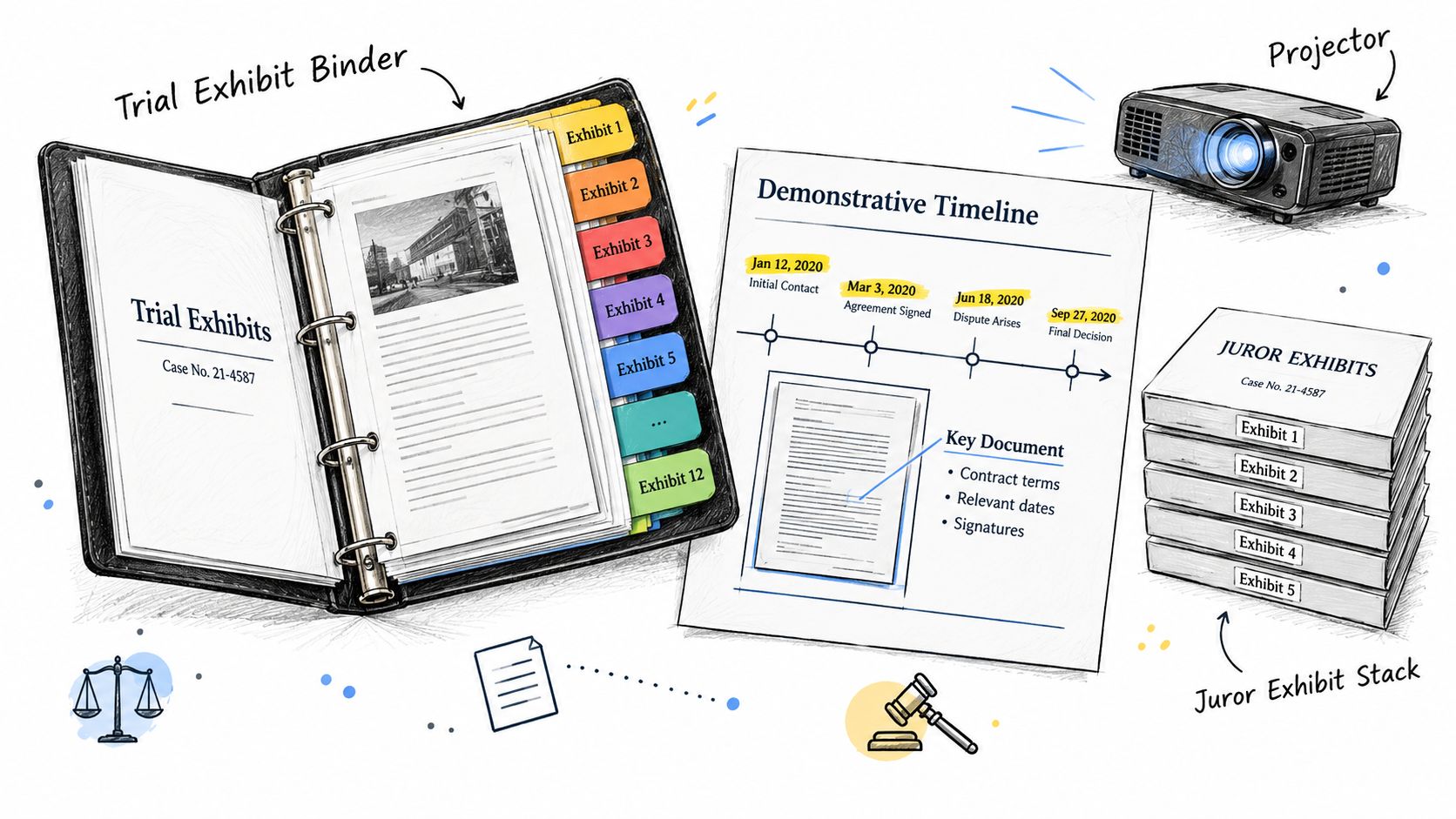
8. Prepare exhibits and jury presentation materials
Exhibits are the case's visible operating layer. A persuasive record can become difficult to follow when numbering changes, source files disappear, or nobody knows whether an objection was resolved. Maintain a live exhibit index covering each item's description, source, sponsoring witness, admissibility status, objections, rulings, presentation file, and physical backup. Attorneys decide what the evidence proves and how it fits the argument. Trained support staff can maintain the index, locate source documents, update statuses, and flag missing decisions.
Start during discovery. Use one convention, such as Plaintiff Exhibit 1 or Defense Exhibit A, and apply it to the working list, digital folders, attorney binder, and jury copies. Link each exhibit to the witness or testimony that will establish its foundation. A number on a list is not a trial plan.
Build for the courtroom, not just the shared drive
Prepare materials for how jurors will see and understand them. A medical image may need an enlarged, clearly annotated version. An employment case may benefit from a timeline showing promotions, evaluations, and adverse actions. A construction defect case may need an architectural diagram that identifies the relevant area without asking jurors to interpret an engineering drawing unaided.
Test the presentation file on the courtroom equipment, or on the equipment the firm will bring. Check image quality, display, playback, annotations, file compatibility, and access permissions. Print backups for important digital materials. Technology has never signed an affidavit promising to behave on trial day.
Use these controls:
- Maintain one exhibit index: Retire outdated copies and identify the current version.
- Track admissibility: Update the list after objections, stipulations, and rulings.
- Match binder order to argument order: Keep the sequence usable for counsel and understandable to jurors.
- Protect physical materials: Use sleeves, dividers, labels, and backup copies where appropriate.
- Assign a courtroom technology owner: “We tested it” is not a role.
Court-facing guidance shows why exhibit work belongs in a formal control system. Oregon guidance, for example, calls for 3 copies of an exhibit list and all exhibits, and asks parties to contact the court at least 48 hours in advance for audio or visual evidence support. The court preparation reference also connects exhibit lists, witness materials, motions, and technology. Confirm the applicable local requirements rather than treating one court's practice as universal.
8-Point Trial Preparation Comparison
| Item | Implementation Complexity 🔄 | Resource & Efficiency ⚡ | Expected Outcomes 📊 | Ideal Use Cases 💡 | Key Advantages ⭐ |
|---|---|---|---|---|---|
| Case File Organization and Document Management | Moderate, initial setup and consistent upkeep required | Low–Moderate resources: support staff, filing systems; high retrieval speed once implemented | High: faster prep, fewer missed documents, audit trail | All cases, especially high-discovery or trial-bound matters | Reduces attorney search time; improves trial readiness |
| Medical Records Acquisition, Summarization, and Organization | High, persistent follow-up and accurate abstraction needed | High resource/time: record requests, summarizers, possible costs; reduces expert review time later | High: clear medical chronology, fewer evidence gaps, faster expert work | Personal injury, mass torts, medical malpractice, workers' comp | Ensures evidentiary foundation; flags treatment gaps early |
| Lien Identification, Reduction, and Resolution | Moderate–High, jurisdictional rules and negotiation complexity | Moderate resources: tracking, negotiation staff; can significantly increase net recovery | High: preserves client recovery, avoids post-settlement liabilities | PI settlements, med-mal, cases with government or provider liens | Maximizes client recovery; prevents closing delays and disputes |
| Discovery Organization and Compliance Documentation | High, large data sets and privilege issues demand rigor | High resources: e-discovery tools, technical staff; speeds compliance and review | Very high: avoids sanctions, enables quick evidence retrieval, clarifies disclosures | Commercial litigation, product liability, multi-party matters | Ensures compliance; reduces discovery risk and time waste |
| Witness Preparation and Deposition Coordination | Moderate, complex scheduling and materials prep | Moderate resources: coordination staff, court reporter/videographer; improves deposition efficiency | High: better testimony quality, fewer scheduling delays, searchable transcripts | Cases with multiple fact/expert witnesses or complex testimony | Improves witness performance and logistical reliability |
| Expert Report Review, Organization, and Timeline Integration | Moderate, technical synthesis and cross-expert comparison required | Moderate resources: summaries, charts; accelerates attorney decision-making | High: early conflict detection, coherent expert narratives, efficient rebuttals | Technical, medical, engineering, or multi‑expert cases | Synthesizes expert opinions; highlights weaknesses for strategy |
| Demand Letter Preparation and Opposing Counsel Coordination | Moderate, requires attorney strategic drafting with organized support | Moderate resources: document assembly, damages spreadsheets; speeds negotiation workflow | High: clearer settlement position, stronger negotiation leverage | Pre‑suit and pre‑trial settlement attempts across PI, employment, product liability | Frames case value effectively; organizes supporting evidence |
| Trial Exhibit Preparation and Jury Presentation Materials | High, extensive exhibit management and demonstrative creation | High resources: design/printing, digital files; greatly improves in-court efficiency | Very high: enhanced jury comprehension, smoother trial flow, reduced delays | Jury trials, cases with complex technical or medical evidence | Increases evidence impact; streamlines courtroom presentation |
The last review before trial
The final review should test whether the case is ready to operate, not whether every folder contains something. Start with the pleadings, scheduling orders, pretrial requirements, motions, proposed jury instructions, verdict forms, witness lists, and exhibit lists. Confirm that the team is working from the current versions and that every court-facing obligation has an owner.
Courts may impose different procedures, so the firm should verify the governing order rather than rely on a universal checklist. A Colorado federal court checklist, for example, requires certain trial-preparation filings 14 calendar days before trial and additional items 7 calendar days before trial, including properly highlighted deposition designations exchanged with opposing counsel. The Colorado pretrial checklist demonstrates how a deadline becomes useful only when the firm records the specific deliverable and its status.
Other courts use different conference and filing sequences. A Northern District of Illinois criminal pretrial procedures order requires a pretrial conference at least three weeks before trial and separate witness lists and a detailed exhibit list five business days before that conference. That court order is a useful reminder that the firm's internal checklist must be tied to the actual case order, not copied from a matter that merely looked similar.
Assign owners and internal deadlines
Set internal deadlines before court deadlines. The owner should be a named person, not a department, and the task should have a dependency, review date, and escalation path. A practical final review should confirm:
- Pleadings and orders: The current pleadings, scheduling requirements, motions, pretrial submissions, and court instructions are identified and reviewed.
- Discovery: Productions, responses, transcripts, privilege logs, Bates ranges, and disputes are indexed and reconciled.
- Records and experts: Medical, financial, technical, and expert materials are complete, summarized, and connected to the case chronology.
- Witnesses: Notices, availability, preparation, packets, deposition transcripts, subpoenas, and examination plans are current.
- Liens and demands: Relevant lien claims, reduction work, discharge documents, demand materials, and settlement communications are tracked.
- Exhibits and technology: Exhibits are numbered, reviewed for admissibility, organized, backed up, and tested in the expected presentation format.
The federal district court benchbook advises establishing the trial or pretrial schedule as early as arraignment so the date focuses everyone's attention, while keeping the schedule flexible if later developments require modification. The Federal Judicial Center benchbook captures the balance firms need: early structure without pretending litigation will respect a perfectly straight line.
Keep legal judgment with attorneys
A checklist should expose decisions, not make them disappear. Support staff can request records, manage calendars, index discovery, prepare chronologies, organize reports, coordinate witnesses, maintain exhibit lists, and verify logistics. Attorneys must decide what evidence matters, how to handle contradictions, whether a witness is ready, how an expert affects strategy, which objections require action, and whether a filing satisfies the governing legal standard.
Attorney Assistant's Staffline can provide dedicated support for case management, records, discovery, medical summaries, lien work, demand preparation, and litigation support. The professional works with one firm, inside its systems and processes, rather than being shared across unrelated matters. That model gives the firm a clearer owner for the work that otherwise lands on attorneys because nobody else has the capacity to carry it.
Trial preparation can also consume the staff who normally protect new business. Attorney Assistant's Frontline provides 24/7 live intake, including nights, weekends, qualification, structured follow-up, English and Español coverage, and quality assurance. When attorneys and staff are absorbed by exhibits, witnesses, and pretrial filings, the firm still needs someone answering and following up with prospective clients. Taking a message is not intake, especially when the message waits until everyone returns from court.
The operational question is straightforward. Which part of this checklist is consuming attorney time, sitting without a clear owner, or creating the greatest readiness risk? Identify that point first, then build the support, deadlines, and review process around it. Frontline signs the case. Staffline carries it.
Attorney Assistant provides dedicated legal support staff for case management, records, discovery, lien work, and litigation preparation, along with 24/7 live intake and structured follow-up through Frontline. Visit Attorney Assistant to identify where trial preparation is taking attorney time and explore a practical staffing or intake workflow that fits your firm.
Related Articles

Call Answering Service for Law Firms: What Actually Works
A call answering service for law firms should sign cases, not take messages. Learn pricing models, vendor criteria, and 24/7 intake that converts.
Case Management Notes: A Law Firm's How-To Guide
Learn how to write case management notes that hold up, with a defensible structure, privilege safeguards, handoff tips, and a smarter way to staff the work.
Medical Records Coordinator: What the Role Actually Does
A medical records coordinator manages records retrieval, summaries, billing, and liens for law firms. Learn duties, KPIs, and when to outsource vs hire.